


To gain full access to our webshop, find our entire product range and see our prices, you need to be logged in.
Log in to your account here or sign up as a customer here.
Log in to your account here or sign up as a customer here.
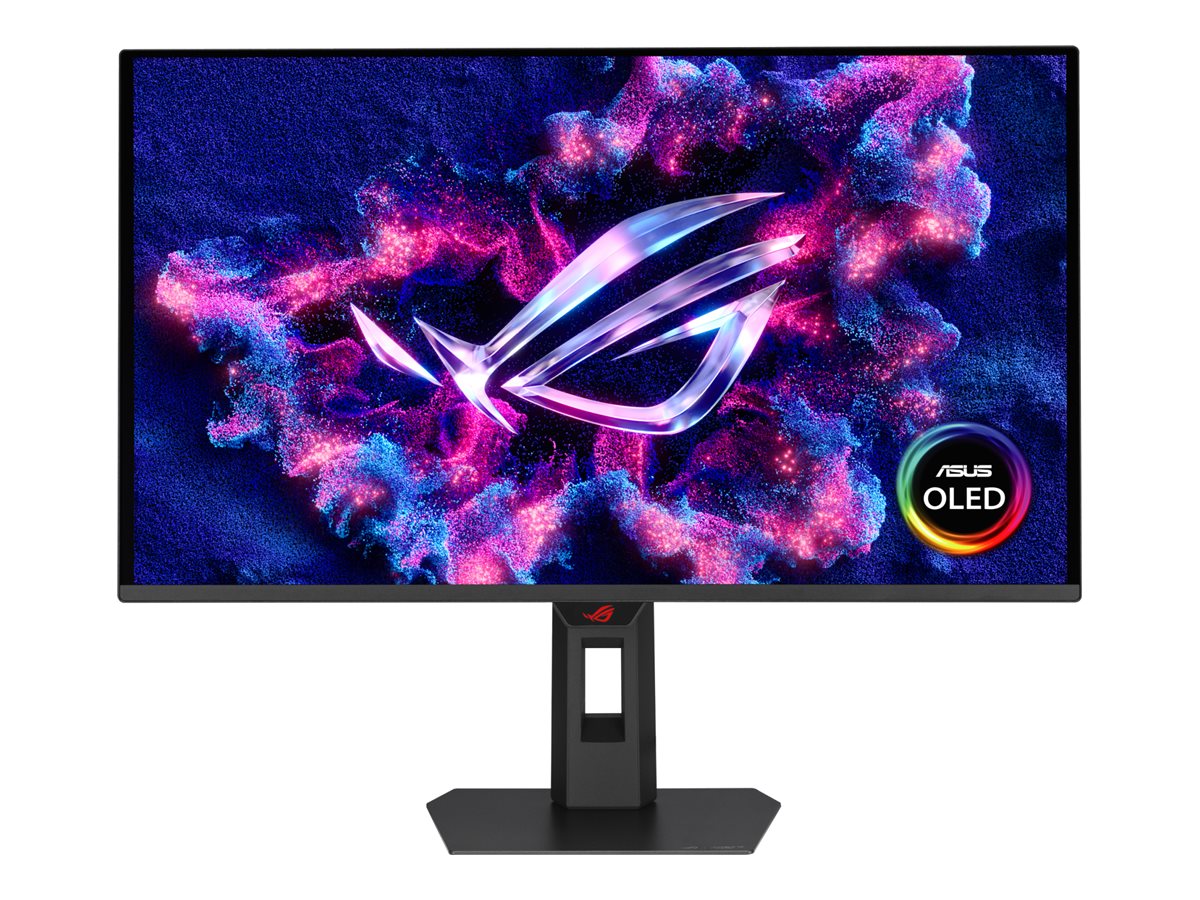

ASUS ROG Strix XG27AQWMG 27" 2560 x 1440 (2K) HDMI DisplayPort 280Hz
ASUS ROG Strix XG27AQWMG - OLED-monitor - gaming - 27" (26.5" til at se) - 2560 x 1440 QHD @ 280 Hz - 1500 cd/m² - 1500000:1 - HDR10 - 0.03 ms - 2xHDMI, DisplayPort - sort
-
Product no 1003790579
Model XG27AQWMG
Brand ASUSTeK COMPUTER
Go to brand's websiteEAN 4711636168991
Weight 8.8 kg
-
Product information and specifications are guiding only. Without notice, these can be subject to change by the manufacturer. This applies for product images as well.
| Produktbeskrivelse | ASUS ROG Strix XG27AQWMG - OLED-monitor - QHD - 27" - HDR |
| Enhedstype | OLED-monitor - 27" |
| Energimærke QR-kode URL | Https://eprel.ec.europa.eu/qr/2468075 |
| Energiklasse | Klasse F |
| Adaptive-Sync teknologi | AMD FreeSync Premium Pro, NVIDIA G-SYNC Compatible, VESA Adaptive-Sync |
| Egenskaber | USB 3.2 Gen 1 hub |
| Formatforhold | 16:9 |
| Standard opløsning | QHD 2560 x 1440 ved 280 Hz |
| Pixel Pitch | 0.229 mm |
| Lysstyrke | 1500 cd/m² |
| Kontrastforhold | 1500000:1 |
| HDR-kapabel | HDR10 |
| Responstid | 0,03 ms (grå-til-grå) |
| Gaming | Ja |
| Farve support | 1.073,7 millioner farver (10-bit) |
| Farvespektrum | 99.5% DCI-P3 |
| Input-stik | 2xHDMI, DisplayPort |
| Justeringer til display-position | Højde, pivot (rotering), drejbar, tilt |
| Skærmbelægning | Genskinsbehandling |
| Spænding | AC 100-240 V (50/60 Hz) |
| Farve | Sort |
| Dimensioner (B x D x H) - med stander | 60.5 cm x 18.8 cm x 50 cm |
| Vægt | 6.7 kg |
| Overensstemmelsesstandarder | DisplayPort 1.4, FSC Mix, TUV Rheinland Flicker Free Certification, TUV Rheinland Low Blue Light Certification |
| Producentgaranti | 3 års garanti |
.png)
ROG Strix OLED XG27AQWMG
ROG Strix OLED XG27AQWMG gaming monitor ― 27-inch (26.5-inch viewable) 1440p TrueBlack Glossy™ Tandem OLED, 280 Hz, 0.03 ms, Neo Proximity Sensor, ASUS OLED Care Pro, ELMB, VESA DisplayHDR™ True Black 500, 99% DCI-P3, and DisplayWidget Center
- 26.5-inch QHD (2560 x 1440) TrueBlack Glossy™ WOLED gaming monitor with 280 Hz refresh rate and 0.03 ms response time
- New Tandem OLED technology for 15% higher peak brightness, 25% larger color volume, and 60% longer OLED lifespan versus previous-generation WOLED panels
- TrueBlack Glossy™ panel provides a zero-haze surface and exceptionally sharp imagery
- VESA DisplayHDR™ 500 True Black compliance, 99.5% DCI-P3 gamut, true 10-bit color, and Delta E<2 color difference for astonishing HDR performance
- ASUS OLED Care Pro with Neo Proximity Sensor precisely detects when the user is away and switches to a black screen to reduce the risk of burn-in
- DisplayWidget Center allows users to easily access OLED Care Pro functions and adjust monitor settings using a mouse
.png)
.png)
.png)
.png)
.png)
.png)
.png)
.jpg)
Visuals Redefine. Witness The Evolution.
ROG Strix OLED XG27AQWMG
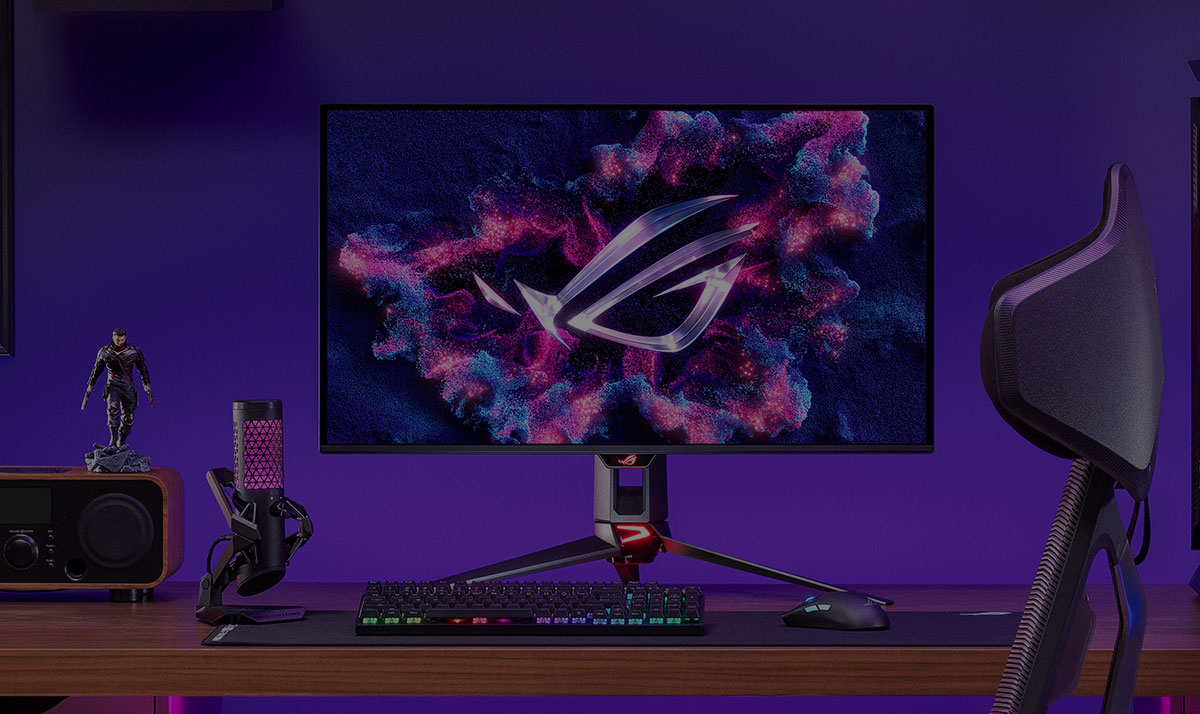
The ROG Strix OLED XG27AQWMG is a 27-inch QHD TrueBlack Glossy™ Tandem OLED gaming monitor that offers sharp visuals and features tandem OLED technology that offers 15% higher peak brightness, 25% wider color volume, and a 60% longer lifespan versus previous-generation WOLED monitors. Featuring the new Neo Proximity Sensor within the ASUS OLED Care Pro suite, the monitor is able to detect when the user is away and automatically transition to a black screen to guard against panel burn-in. Thanks to a compact stand, the XG27AQWMG takes up minimal desktop space. Plus, it offers users an extensive array of connectivity options, including DisplayPort™ 1.4 (DSC), HDMI® 2.1, and USB hub.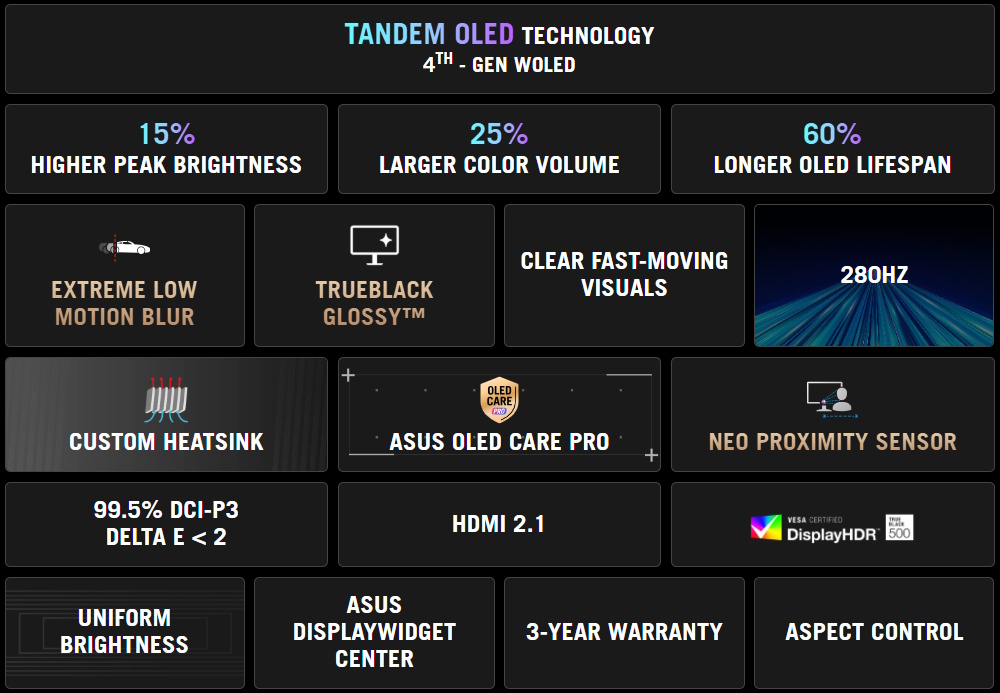
.jpg)
Gaming-Changing Visuals
Tandem OLED Technology
Tandem OLED technology pushes the boundaries with unrivaled OLED performance and longevity. It boasts an innovative four-layer stacked-structure design that allows for enhanced light emission, superior color reproduction, and significantly-longer panel lifespan compared to previous OLED panels..png)
15% Higher Brightness
Tandem OLED technology gives monitor brightness a boost, giving the XG27AQWMG 15% brighter visuals than WOLED panels—so visuals pop off the screen with incredible intensity to bring games and movies to life. Plus, the XG27AQWMG complies with the VESA DisplayHDR™ 500 True Black standard to ensure breathtaking highlights and inky blacks for unmatched contrast and realism..jpg)
.jpg)
25% Larger Color Volume
The innovative four-layer stacked structure of Tandem OLED panels gives the XG27AQWMG 25% larger color volume to show off more vibrant reds, deeper blues and every shade in between—especially when gaming in HDR. Colors are more accurate, more nuanced, and more lifelike, drawing viewers deeper into the action.60% Longer OLED Lifespan
Tandem OLED technology offers exceptional panel longevity and energy efficiency, thanks to the four-layer design. Together with the built-in heatsink, the technology provides up to 60% longer lifespan compared to previous-generation OLEDs and significantly reduces the risk of burn-in to ensure years of stunning visuals without compromise.Supersharp and clear imagery
Exclusive TrueBlack Glossy™ OLED
The ROG Strix OLED XG27AQWMG features a new TrueBlack Glossy™ OLED panel with a zero-haze optical layer that presents deep blacks under any lighting. Its advanced anti-reflective coating reduces ambient reflections by 38% compared to previous-gen glossy WOLEDs, ensuring distraction-free gaming even in brightly lit rooms.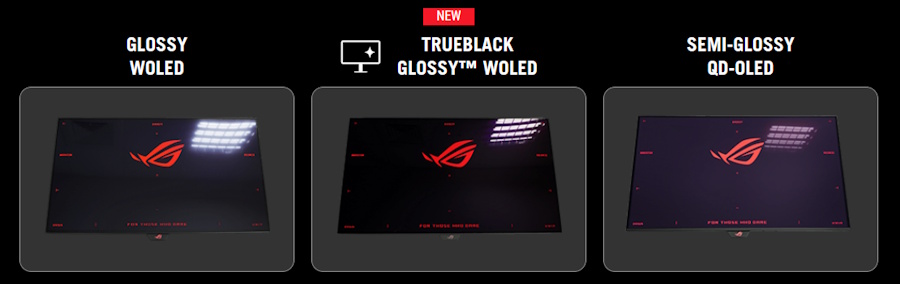
FOURTH-GENERATION WOLED TECHNOLOGY
Improved Motion Clarity

Extreme Low Motion Blur
Exclusive ASUS Extreme Low Motion Blur technology reduces ghosting and motion blur.OLED Advantages
The extremely high contrast ratio offered by the OLED panel results in the deepest black hues and vivid colors. Plus, an astounding 0.03ms gray-to-gray response time ensures super smooth, low-latency gameplay. 1.5M:1
contrast ratio
contrast ratio
0.03 ms
response time
response time
99.5%
DCI-P3 gamut
DCI-P3 gamut
Delta E < 2

Screen Protection
ASUS OLED CARE PRO
New ASUS OLED Care Pro technology provides a full set of customizable monitor settings to protect and ensure the longevity of the OLED panel. Plus, it includes the new Neo Proximity Sensor designed to guard against panel burn-in. All settings can be easily managed via DisplayWidget Center.NEO PROXIMITY SENSOR
The built-in Neo Proximity Sensor precisely detects the user's distance from the monitor. When the user steps away, the monitor transitions to a black image to protect against panel burn-in; when the user returns, content is instantly restored onscreen. Detection distance can be customized to suit personal preference, ensuring maximum convenience and protection.* Before activating the detection function, please ensure that the monitor sensor is properly angled and cleaned by using the bundled microfiber cloth.
PIXEL CLEANING
Recalibrates the screen when the monitor has been active for several hours―a process that takes just a few minutes and activates automatically when the monitor is turned off.**Do not unplug the power cord during this time as it will interrupt the pixel-cleaning process.
SCREEN MOVE
Pixel locations are slightly shifted periodically to help prevent burn-in, and users can choose between several movement levels. movement levels.SCREEN SAVER
Automatically dims the screen after two minutes of inactivity.LOGO BRIGHTNESS ADJUSTMENT
Automatically detects static onscreen logos and reduces their brightness to correct for potential picture-quality issue.OUTER DIMMING CONTROL
Automatically identifies and adjusts the brightest areas of the screen to reduce the risk of burn-in.TARGET MODE
Dims the entire screen, except for a selected pinned window, which maintains its current brightness setting.
ROG OLED Anti-Flicker
ROG-exclusive OLED Anti-Flicker technology offers three refresh rate ranges ― High, Mid, Off ― to reduce flicker during frame rate fluctuations and maintain an immersive gaming experience.*Videos may be simulated and dramatized for illustrative purposes.
.gif)
Compact and Ergonomic Design
The new ROG Strix OLED series monitors feature a new compact stand that’s 30% smaller than those found on previous-generation XG monitors, freeing up valuable desk space for a keyboard and mouse. The stand offers tilt, swivel, and height adjustments for the ideal viewing position. The display is also VESA wall-mount-compatible.30% SMALLER
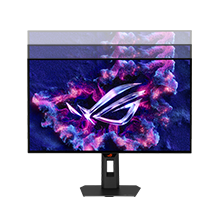
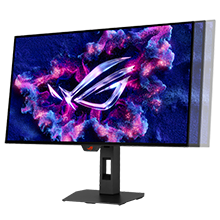
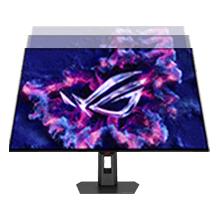
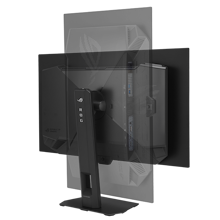
[ 0-110MM ]
HEIGHT ADJUSTMENT
[ +45°~ -45° ]
SWIVEL
[ -5°~ +20° ]
TILT
[ +90°~ -90° ]
PIVOT
Aspect Ratio Control
For competitive gamers who are more familiar with smaller 1080p monitors, the XG27AQWMG can be set to replicate a 24.5-inch (esports mode), as well as other visual modes.DisplayWidget Center
DisplayWidget Center is a powerful monitor management software designed to help users optimize, personalize, and fully utilize their display via a mouse — so there's no need to access the OSD menu. Additionally, DisplayWidget Center offers firmware update notifications and includes a direct update option. Users can also import or export display configurations for sharing.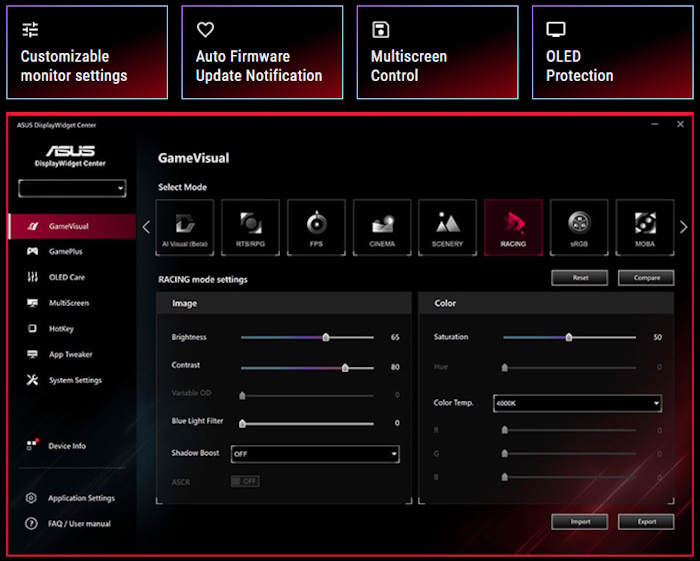
Play Smarter with AI Assistant
The AI Assistant in XG27AQWMG includes AI Visual, Dynamic Crosshair, and Dynamic Shadow Boost. These features leverage AI technology to help gamers practice more effectively to improve their skills.Dynamic Crosshair
Automatically changes the crosshair to a color that contrasts with the background, so it stands out for more accurate aim.Dynamic Shadow Boost
Automatically enhances dark areas of the scene to make it easier to spot enemies hiding in dim areas of the map.AI Visual
Automatically detects what's onscreen and adjusts to provide the best default or user-preset monitor settings through DisplayWidget Center**ASUS DisplayWidget Center software required.
*Images/videos may be simulated and dramatized for illustrative purposes.

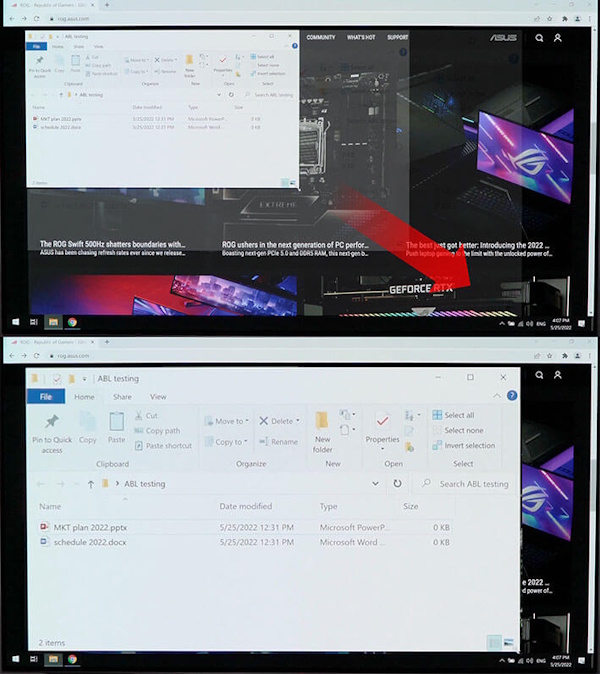
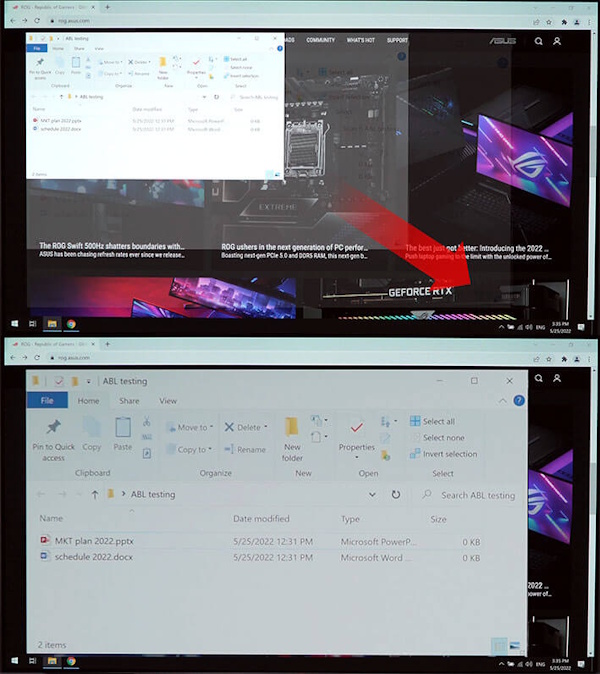
Uniform brightness
When activated, the ROG-exclusive Uniform Brightness* setting within the OSD menu decreases peak brightness to keep levels consistent for better viewing — even when changing the size of bright white windows. It also makes marathon gaming sessions much more comfortable on the eyes.*When the monitor is in sRGB mode
In-game enhancements
SMOOTH AND RESPONSIVE
The XG27AQWMG features AMD FreeSync™ Premium Pro technology and NVIDIA® G-SYNC compatibility, ensuring super-smooth, tear-free visuals with low latency. 
GAMEPLUS
The ASUS-exclusive integrated GamePlus hotkey offers in-game enhancements. Co-developed with input from pro gamers, GamePlus enables gamers to practice and improve their gaming skills with the ROG Gaming AI technology-enhanced Dynamic Crosshair. GAMEVISUAL
ASUS GameVisual technology offers seven pre-set display modes to optimize visuals for different types of content. This unique feature can be easily accessed using a hotkey or via the OSD settings menu. FLICKER-FREETECHNOLOGY
TÜV Rheinland-certified ASUS Flicker-Free technology eliminates flicker, ensuring comfortable viewing experiences. This technology helps minimize eyestrain and other potential issues typically associated with extended hours of viewing. 

LOW BLUE LIGHTTECHNOLOGY
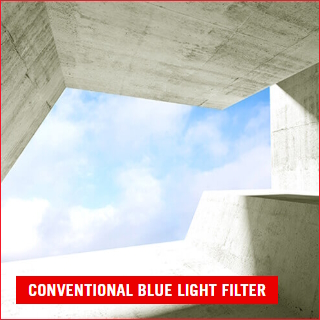
The new hardware-based ASUS Low Blue Light technology reduces potentially harmful high-energy blue-light emissions while offering color performance that’s better than monitors with software-based filtering solutions. 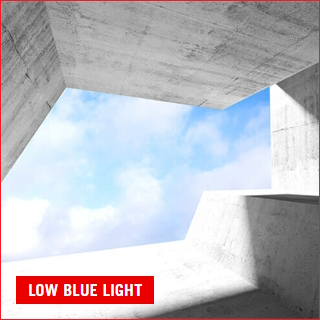
Rich Connectivity
Extensive connectivity options such as DisplayPort™ 1.4 with Display Stream Compression (DSC), two HDMI® 2.1, and USB hub for a wide array of multimedia devices.
.png)
- The terms HDMI, HDMI High-Definition Multimedia Interface, HDMI Trade dress and the HDMI Logos are trademarks or registered trademarks of HDMI Licensing Administrator, Inc.
- Please avoid hanging headphones or attaching any items that don't belong to the monitor itself to prevent reducing the monitor’s lifespan.
- Products certified by the Federal Communications Commission and Industry Canada will be distributed in the United States and Canada. Please visit the ASUS USA and ASUS Canada websites for information about locally available products.
- All specifications are subject to change without notice. Please check with your supplier for exact offers. Products may not be available in all markets.
- Specifications and features vary by model, and all images are illustrative. Please refer to specification pages for full details.
- PCB color and bundled software versions are subject to change without notice.
- Brand and product names mentioned are trademarks of their respective companies.
- Unless otherwise stated, all performance claims are based on theoretical performance. Actual figures may vary in real-world situations.
- The actual transfer speed of USB 3.0, 3.1, 3.2, and/or Type-C will vary depending on many factors including the processing speed of the host device, file attributes and other factors related to system configuration and your operating environment.
About ASUS
ASUS is a multinational company best known for their motherboards, PCs, monitors, graphics cards and routers. Along with an expanding range of superior gaming, content-creation and AIoT solutions, ASUS leads the industry through cutting-edge design and innovations made to create the most ubiquitous, intelligent, heartfelt and joyful smart life for everyone. With a global workforce that includes more than 5,000 R&D professionals, ASUS is driven to become the world’s most admired innovative leading technology enterprise.
About ROG
Republic of Gamers (ROG) is an ASUS sub-brand dedicated to creating the world’s best gaming hardware and software. Formed in 2006, ROG offers a complete line of innovative products known for performance and quality, including motherboards, graphics cards, laptops, desktops, monitors, audio equipment, routers and peripherals. ROG participates in and sponsors major international gaming events. ROG gear has been used to set hundreds of overclocking records and it continues to be the preferred choice of gamers and enthusiasts around the world.
© 2022 ASUS Computer International. All Rights Reserved. ASUS is a registered trademark of ASUSTeK Computer. All specifications and terms are subject to change without notice. Please check with your supplier for exact offers on selected models. Products may not be available in all markets. Product may not be exactly as shown in photos. Actual colors may differ from their appearance due to variation of monitor restrictions and color processing. All trademarks are registered to their respective companies. ASUS shall not be liable for technical or editorial errors or omissions contained herein.
ASUS is a multinational company best known for their motherboards, PCs, monitors, graphics cards and routers. Along with an expanding range of superior gaming, content-creation and AIoT solutions, ASUS leads the industry through cutting-edge design and innovations made to create the most ubiquitous, intelligent, heartfelt and joyful smart life for everyone. With a global workforce that includes more than 5,000 R&D professionals, ASUS is driven to become the world’s most admired innovative leading technology enterprise.
About ROG
Republic of Gamers (ROG) is an ASUS sub-brand dedicated to creating the world’s best gaming hardware and software. Formed in 2006, ROG offers a complete line of innovative products known for performance and quality, including motherboards, graphics cards, laptops, desktops, monitors, audio equipment, routers and peripherals. ROG participates in and sponsors major international gaming events. ROG gear has been used to set hundreds of overclocking records and it continues to be the preferred choice of gamers and enthusiasts around the world.
© 2022 ASUS Computer International. All Rights Reserved. ASUS is a registered trademark of ASUSTeK Computer. All specifications and terms are subject to change without notice. Please check with your supplier for exact offers on selected models. Products may not be available in all markets. Product may not be exactly as shown in photos. Actual colors may differ from their appearance due to variation of monitor restrictions and color processing. All trademarks are registered to their respective companies. ASUS shall not be liable for technical or editorial errors or omissions contained herein.
Se Asus seneste FAQ - løser 90 % af typiske problemer
http://www.asus.com/dk/support/
Teknisk support: 38 32 29 43
Bemærk: Enkelte produkter forekommer med tysk manual i stedet for Dansk.
https://rma.asus-europe.eu/?country=dk
I tilfælde af problemer kan Asus kontaktes på 38 32 29 43
ASUS tilbyder 7 dages DOA, Hent DOA formular her
https://drive.google.com/file/d/1lJ00yTXfFLrQrG6m9PHZ5HS2C55gdpGm/view?usp=sharing
Send til [email protected]
ASUS skal kontaktes direkte for forespørgseler til reklamation.
Vurderes problemet godkendt til en reklamation, resultater dette i et sags nummer der giver adgang til ASUS pickup skema for reparation og ombytninger.
Du udfylder den relaterende produktside formularer (det er vigtigt, at du vælger hvorvidt det er en Notebook, en Eee eller en anden vare).
Formularen afsluttes og kunden modtagere et ASUS RMA nummer og mere information omkring afhentnings processen.
ASUS sender et fragtlabel, til indsendelse af produktet.
http://www.asus.com/dk/support/
Teknisk support: 38 32 29 43
Bemærk: Enkelte produkter forekommer med tysk manual i stedet for Dansk.
RMA
For håndtering og oprettelse af Asus garanti benythttps://rma.asus-europe.eu/?country=dk
I tilfælde af problemer kan Asus kontaktes på 38 32 29 43
ASUS tilbyder 7 dages DOA, Hent DOA formular her
https://drive.google.com/file/d/1lJ00yTXfFLrQrG6m9PHZ5HS2C55gdpGm/view?usp=sharing
Send til [email protected]
ASUS skal kontaktes direkte for forespørgseler til reklamation.
Vurderes problemet godkendt til en reklamation, resultater dette i et sags nummer der giver adgang til ASUS pickup skema for reparation og ombytninger.
Du udfylder den relaterende produktside formularer (det er vigtigt, at du vælger hvorvidt det er en Notebook, en Eee eller en anden vare).
Formularen afsluttes og kunden modtagere et ASUS RMA nummer og mere information omkring afhentnings processen.
ASUS sender et fragtlabel, til indsendelse af produktet.