|
Produktbeskrivelse
|
Dell - DDR5 - modul - 32 GB - DIMM 288-PIN - 2800 MHz - registreret
|
|
Produkttype
|
Hukommelsesmodul
|
|
Kapacitet
|
32 GB
|
|
Hukommelsestype
|
DDR5 SDRAM - DIMM 288-PIN
|
|
Opgraderingstype
|
System specifikationer
|
|
Hastighed
|
2800 MHz
|
|
Egenskaber
|
Dual rank, registreret
|
|
Passer til OEM fabrikants delnr.
|
DELL SNPP8XPWC/32G, DELL AC830717
|
|
Pristype
|
Opgradering
|
|
Designet for
|
PowerEdge R660, R760, R760xs, T550
|
Effective Friday, July 3, 2026, the office will close at 4:30 PM on Fridays. From Monday to Thursday, Sales contact hours remain unchanged from 9:00 AM to 5:00 PM, while contact hours for Accounting, Purchasing, and RMA remain unchanged in general.
To gain full access to our webshop, find our entire product range and see our prices, you need to be logged in.
Log in to your account here or sign up as a customer here.
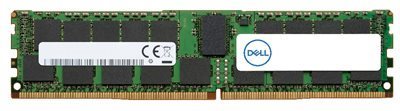
Dell DDR5 SDRAM 32GB 2800MHz reg DIMM 288-PIN
Dell - DDR5 - modul - 32 GB - DIMM 288-PIN - 2800 MHz - registreret - Opgradering - for PowerEdge R660, R760, R760xs, T550
Gør dit system fra Dell lynhurtigt ved at opgradere med hukommelse, der er udviklet og testet specielt til dit system.
Varenummer:
1002285707
Model:
AC830717
EAN:
5397184878842
Brand:

Vægt:
0.03 kg
Specifications

Media
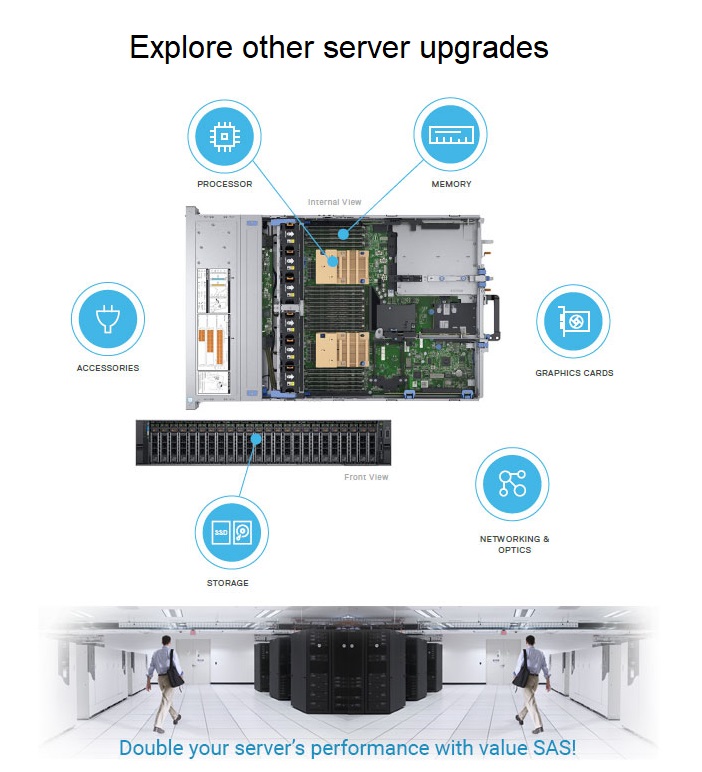
Dell Memory Upgrade - 32 GB - 2Rx8 DDR5 RDIMM 5600 MT/s (Not Compatible with 4800 MT/s DIMMs)
Dell Part AC830717
.jpg)
.jpg)
Why should I buy a Dell Upgrades over a third-party part?


Tested and Verified Tier-1 OEM-Grade Parts
Ensure compatibility with Dell servers, storage and networking.Ease of Installation
Save time with Dell Upgrades that are shipped as kits with the necessary hardware and firmware.

Secure Supply Chain Focus
Protect system data and integrity with parts sourced from a secure supply chain.Dell Tech Support and Warranties
Preserve Dell technical support and warranties—which do not support systems with third-party upgrades.Compatibility
This product is compatible with the following systems:
- Precision Workstation 5860 Tower
- Precision Workstation 5860XL Tower
- Precision Workstation 7875 Tower
- Precision Workstation 7875XL Tower
- Precision Workstation 7960 Rack
- Precision Workstation 7960 Tower
- Precision Workstation 7960XL Rack
- Precision Workstation 7960XL Tower
Memory DIMM Types
With more memory, the faster that data and instructions can be read, written, and performed by the server.
There are three types of memory DIMMS for servers available. These DIMM types cannot be mixed in a single system, you must select the type of DIMM appropriate for your workload at the type of purchase.- Unbuffered DIMM: UDIMM, an unbuffered, low density, low-latency DIMM that doesn't include a register or buffer chip. UDIMMs are generally used in applications requiring the lowest possible latency.
- Registered DIMM: RDIMM, a registered DIMM that provides high signal integrity -- performing parity checking to detect improper addresses or commands -- and increased performance for heavy workloads.
- Load reduced DIMMs: LRDIMM, uses a buffer to reduce memory loading to a single load on all DDR signals, allowing for greater density.
Memory Tests
- Burn-in: Powered stress testing (i.e. increased temperature) to remove weak components.
- Component Test: Memory vendor-specific diagnostic tests performed at DRAM component level to ensure functionality.
- Module Test: Memory vendor-specific diagnostic tests performed at DIMM level to ensure functionality (with all DRAM components already mounted on DIMM PCB).
Random Access Memory (RAM) is a type of hardware that your computer uses to store information. Adding memory is one of the most cost-effective ways to improve your computer's performance.