


To gain full access to our webshop, find our entire product range and see our prices, you need to be logged in.
Log in to your account here or sign up as a customer here.
Log in to your account here or sign up as a customer here.
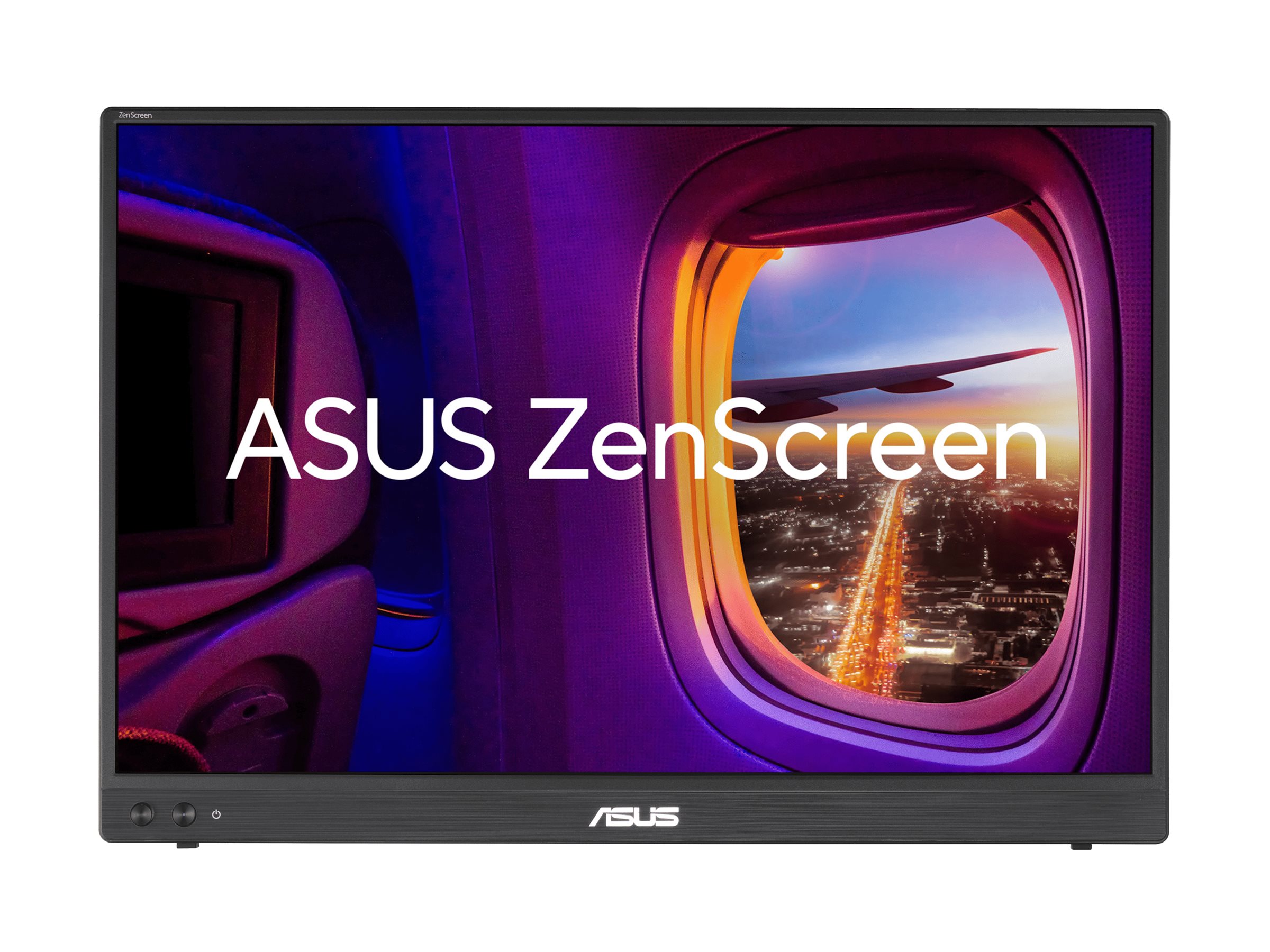
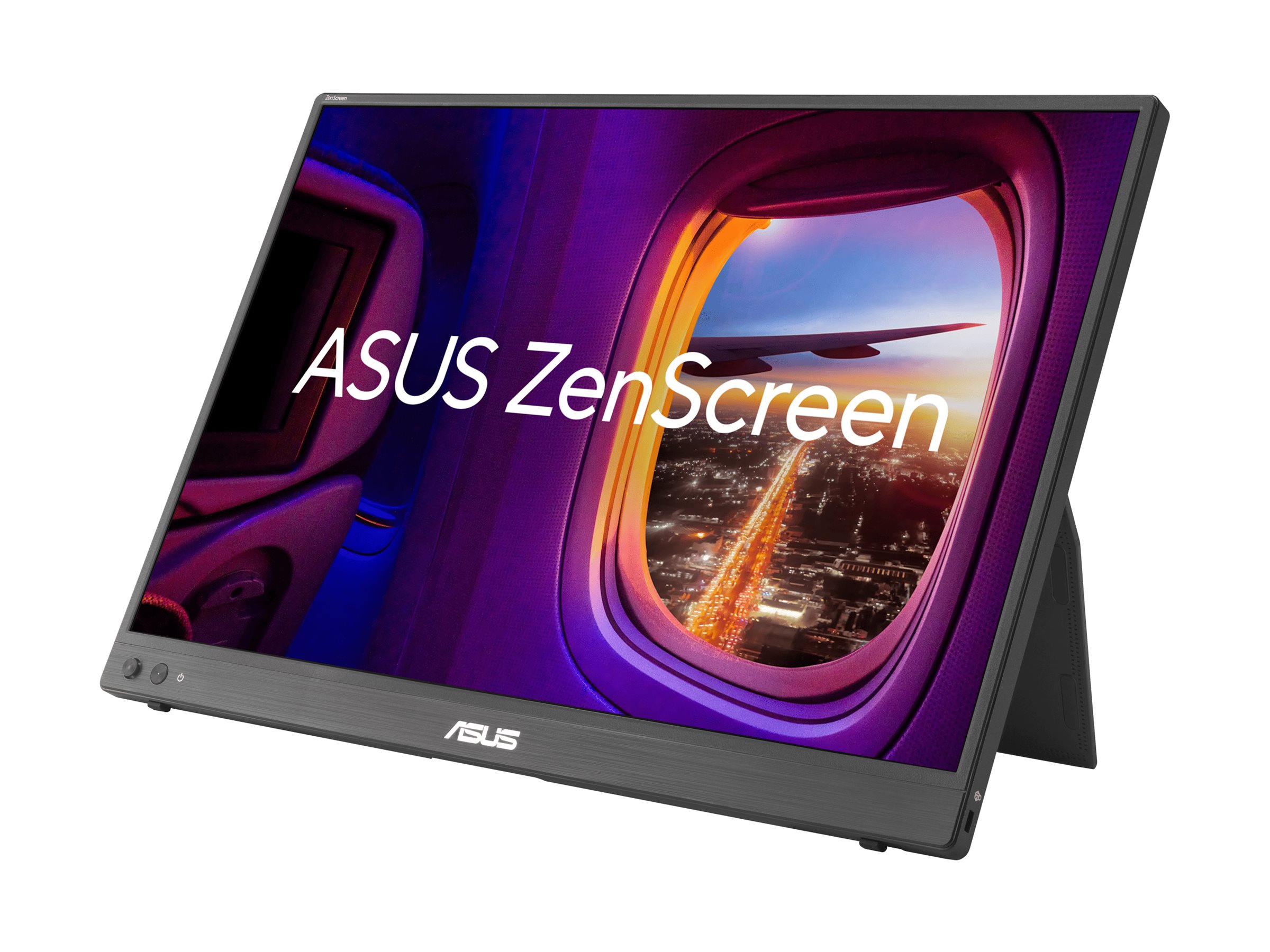
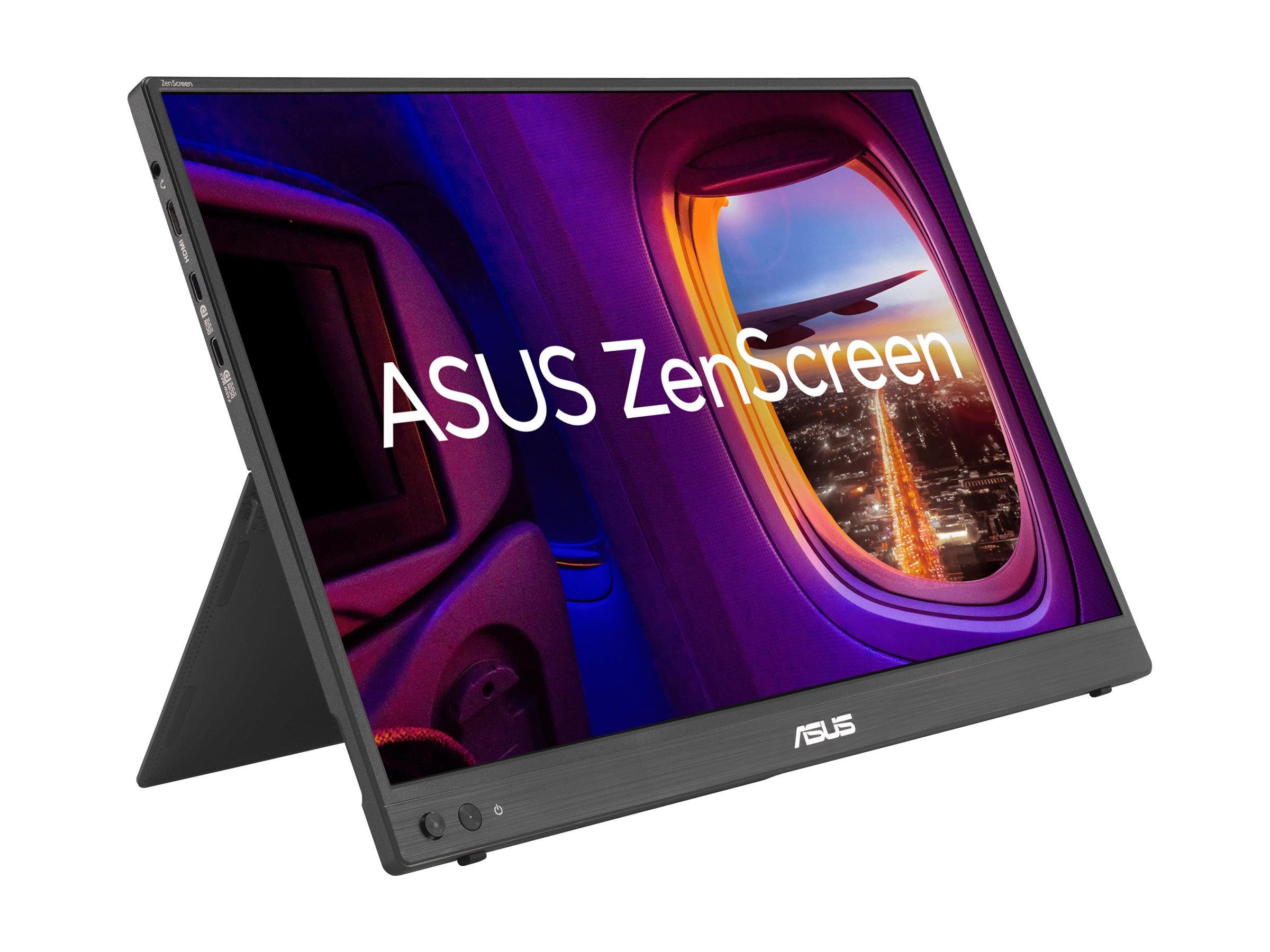
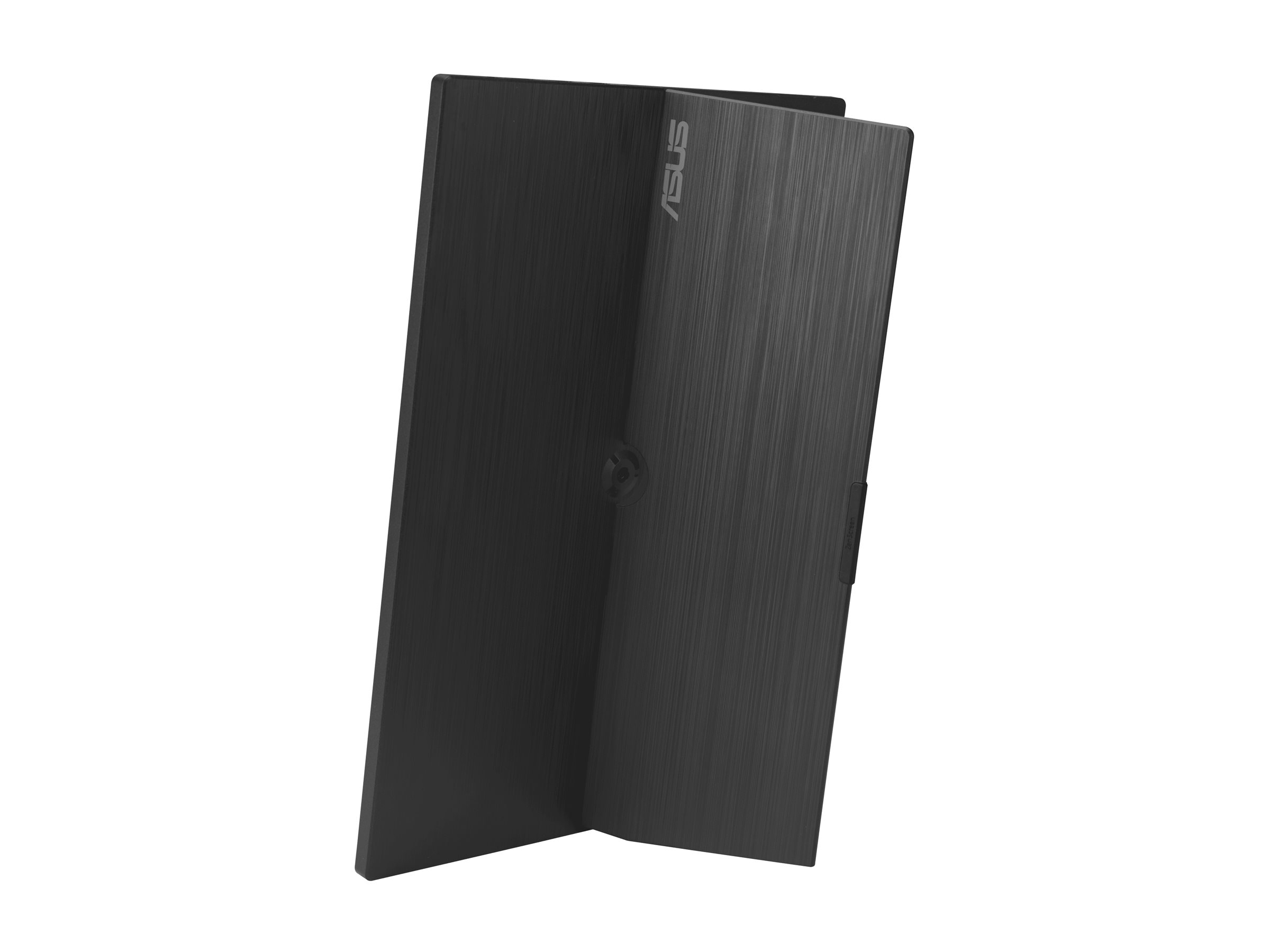
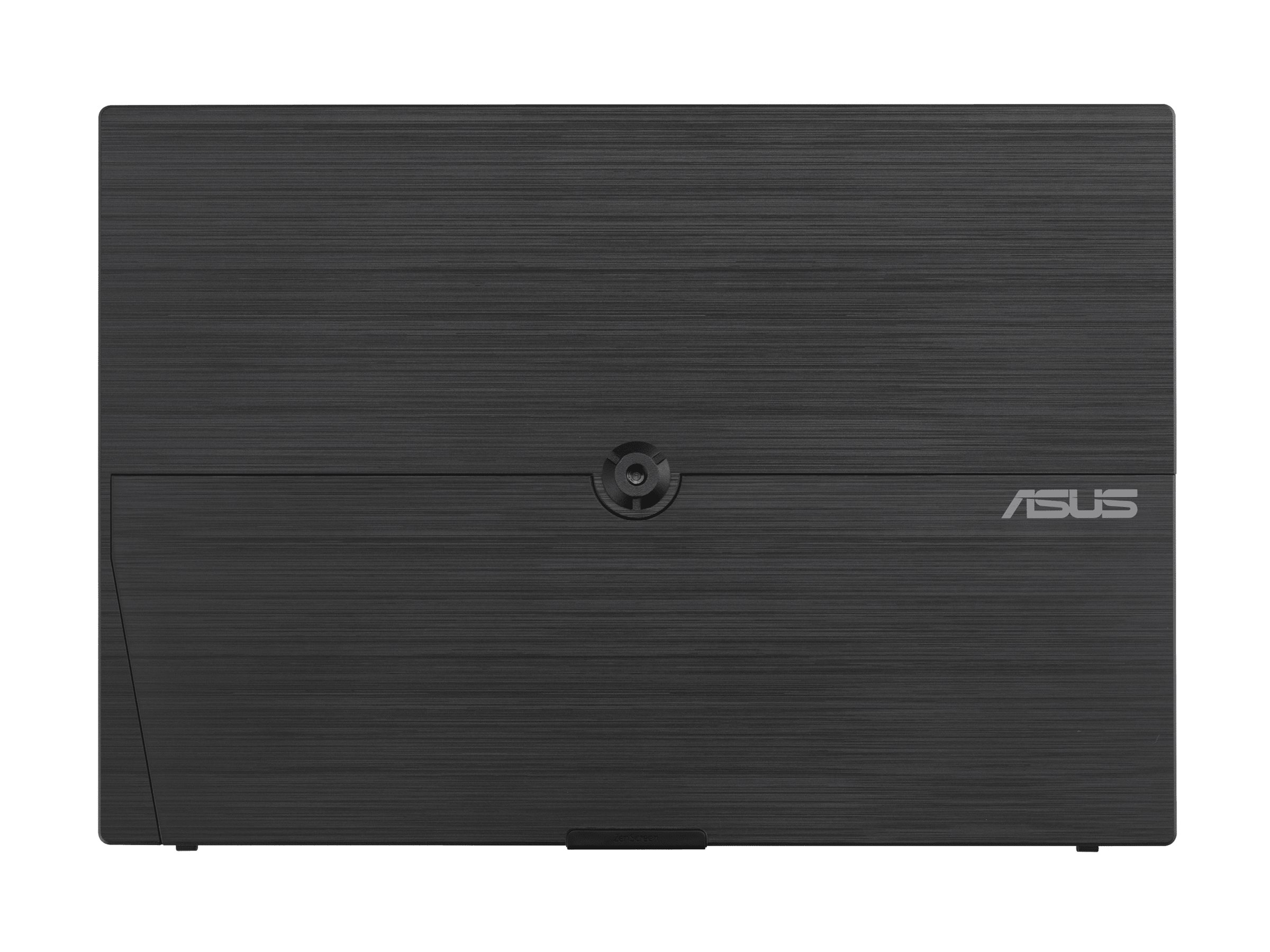
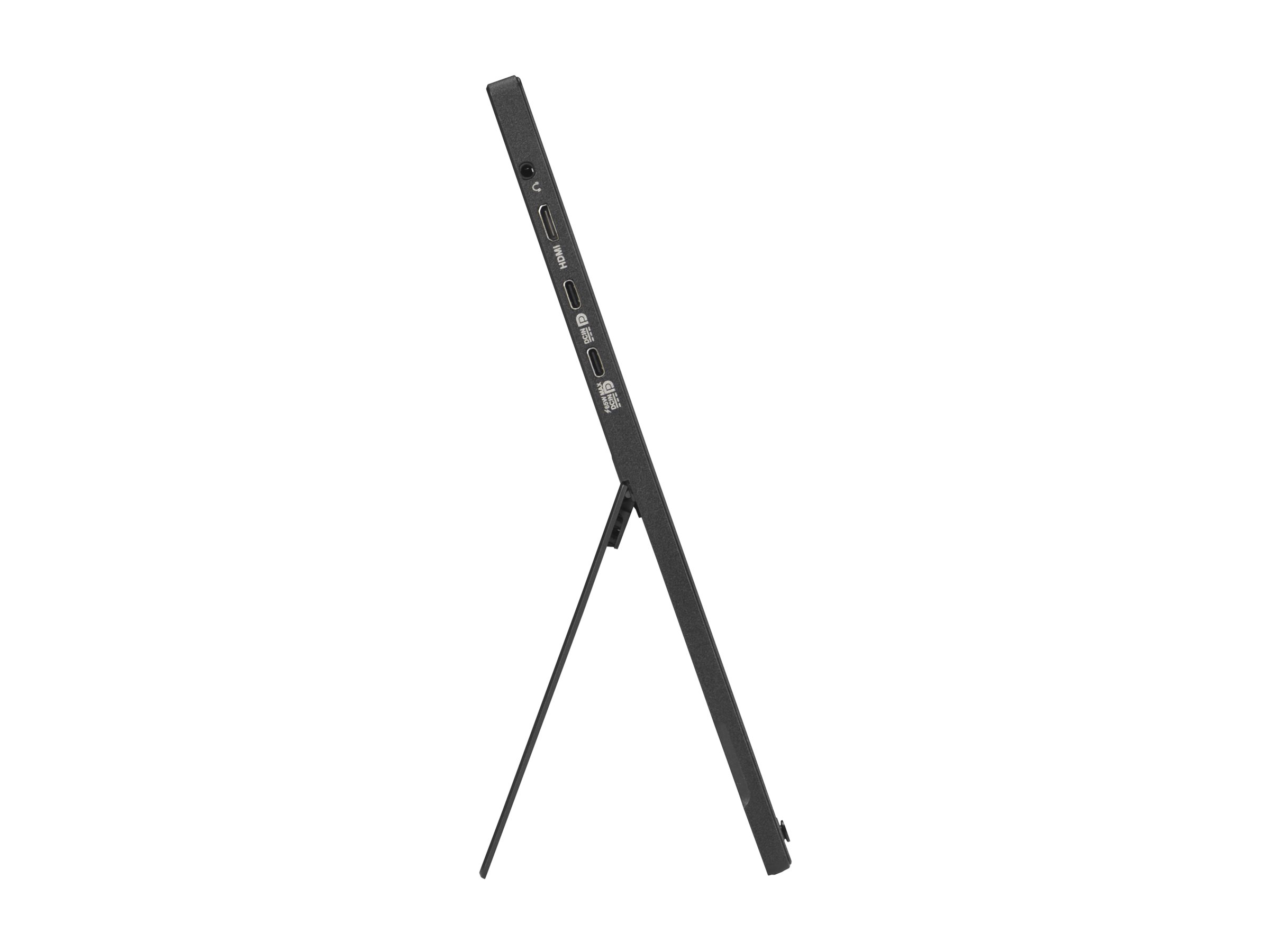
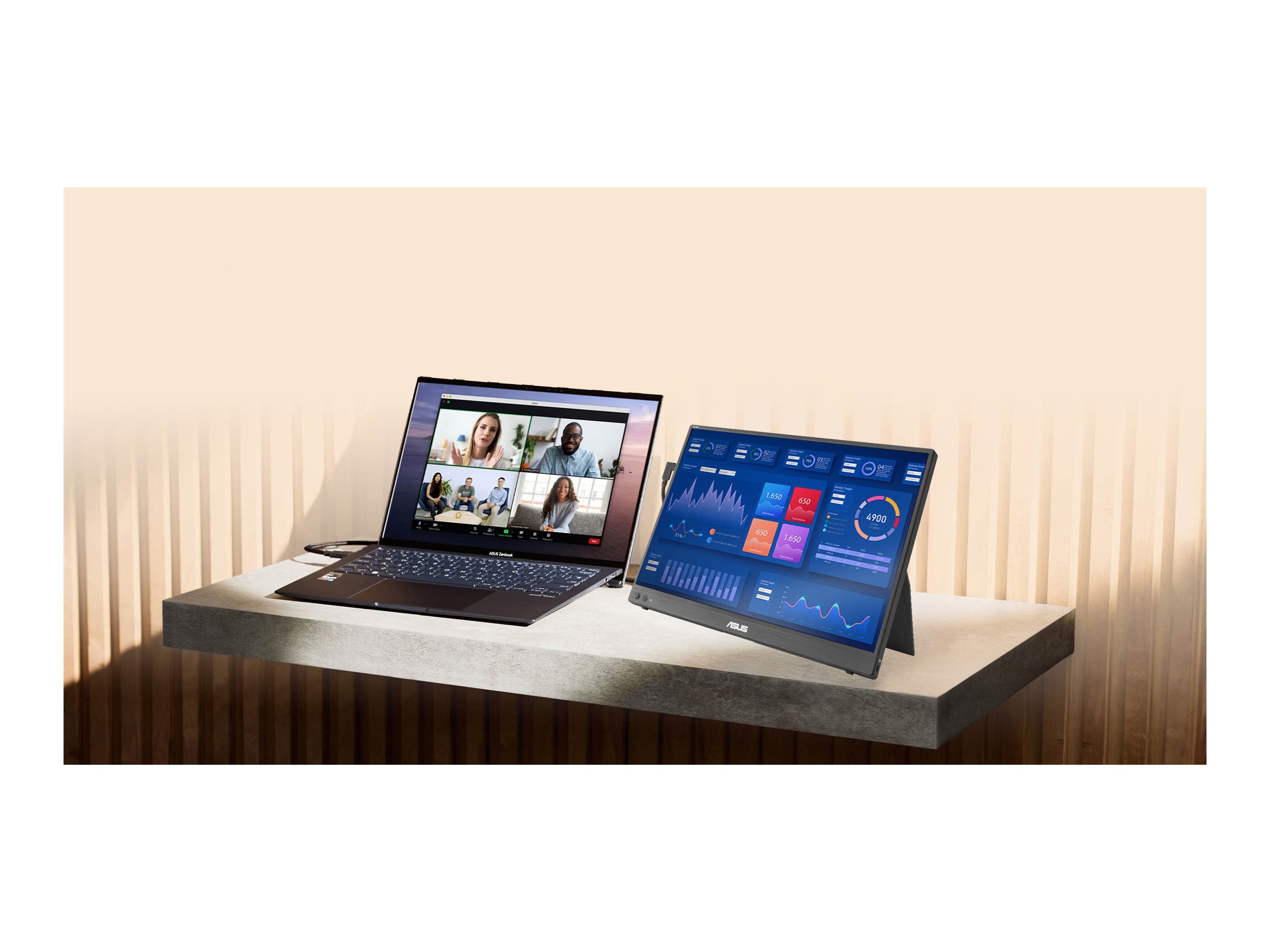
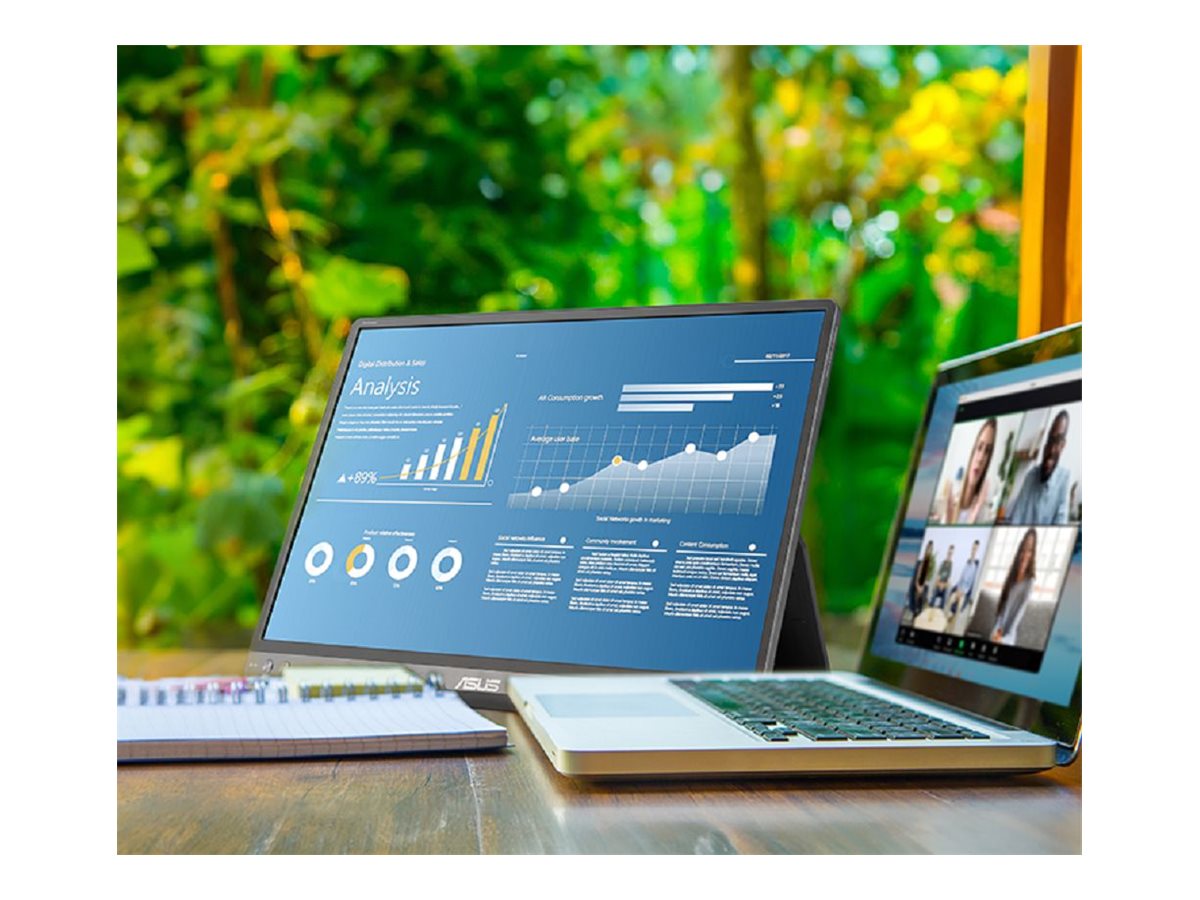
ASUS ZenScreen MB16NCG 16" IPS 2560 x 1600 Mini HDMI USB-C 155Hz
ASUS ZenScreen MB16NCG - LED-skærm - 16" - bærbar - 2560 x 1600 WQXGA @ 155 Hz - IPS - 400 cd/m² - 1500:1 - HDR10 - 5 ms - Mini HDMI, 2xUSB-C - sort
-
Product no 1003939166
Model MB16NCG
Brand ASUSTeK COMPUTER
Go to brand's websiteEAN 4711636223256
Weight 2 kg
-
Product information and specifications are guiding only. Without notice, these can be subject to change by the manufacturer. This applies for product images as well.
| Produktbeskrivelse | ASUS ZenScreen MB16NCG - LED-skærm - 16" - HDR |
| Enhedstype | LED-baggrundsbelyst LCD-skærm - 16" |
| Energimærke QR-kode URL | Https://eprel.ec.europa.eu/qr/2458004 |
| Energiklasse | Klasse C |
| Adaptive-Sync teknologi | AMD FreeSync |
| Paneltype | IPS |
| Formatforhold | 16:10 |
| Standard opløsning | WQXGA 2560 x 1600 (USB-C: 155 Hz,Mini HDMI: 120 Hz) |
| Pixel Pitch | 0.135 mm |
| Lysstyrke | 400 cd/m² |
| Kontrastforhold | 1500:1 |
| HDR-kapabel | HDR10 |
| Responstid | 5 ms (grå-til-grå) |
| Farve support | 16,7 millioner farver (8-bit) |
| Farvespektrum | 100% sRGB |
| Input-stik | Mini HDMI, 2xUSB-C |
| Skærmbelægning | Blændfri |
| Spænding | AC 100-240 V (50/60 Hz) |
| Farve | Sort |
| Dimensioner (B x D x H) | 35.8 cm x 1.1 cm x 24.6 cm |
| Vægt | 900 g |
| Miljømæssige standarder | ENERGY STAR kvalificeret |
| Overensstemmelsesstandarder | FSC Mix, TUV Rheinland Low Blue Light (Software Solution), TUV Rheinland Flicker Free Certification, HDCP 2.3 |
.png)
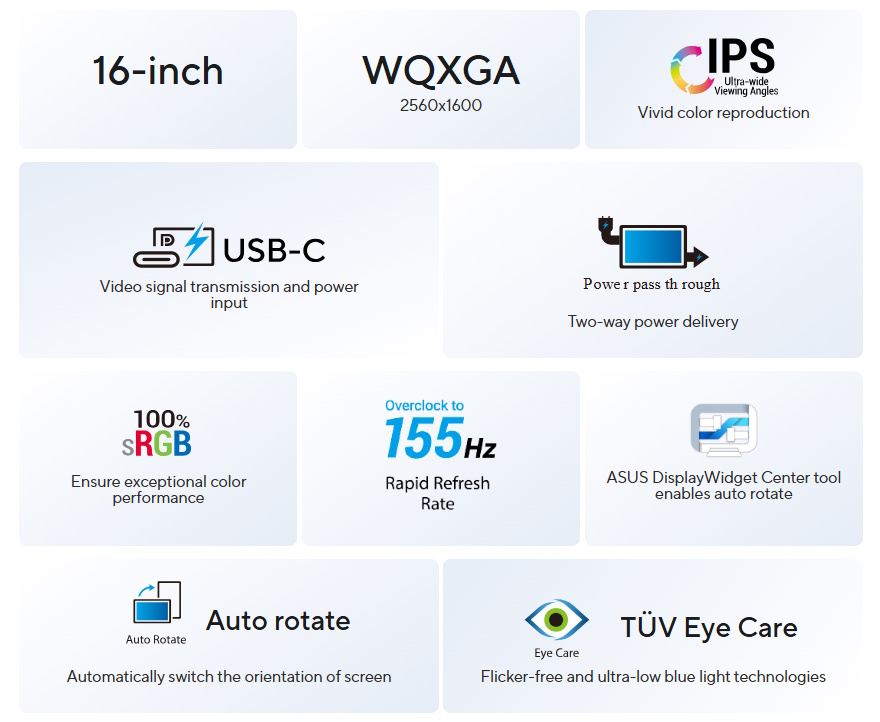
ASUS ZenScreen MB16NCG Portable Monitor – 16-inch 16:10 WQXGA (2560 x 1600) IPS panel, 155 Hz refresh rate (OC), Power Pass Through, 100% sRGB, Auto Rotate, tripod, USB Type-C®, mini-HDMI®, Flicker Free, Low Blue Light, FSC Mix-certified
- 16-inch 16:10 WQXGA panel featuring 155 Hz Smooth Motion experience for impressive visuals
- 2560 x 1600 resolution and an impressive 84% screen-to-body ratio brings you expansive and vivid view
- With Power Pass Through, the MB16NCG portable monitor can be powered by a laptop, or deliver power to a laptop via pass-through charging
- 100% sRGB color gamut ensures exceptional contrast and color performance
- Rich connectivity with two full-function USB-C® ports plus a mini-HDMI® port
- Automatically sense its orientation and switch the monitor between landscape and portrait modes via DisplayWidget Center software
.png)
.png)
.png)
.png)
.png)
.png)
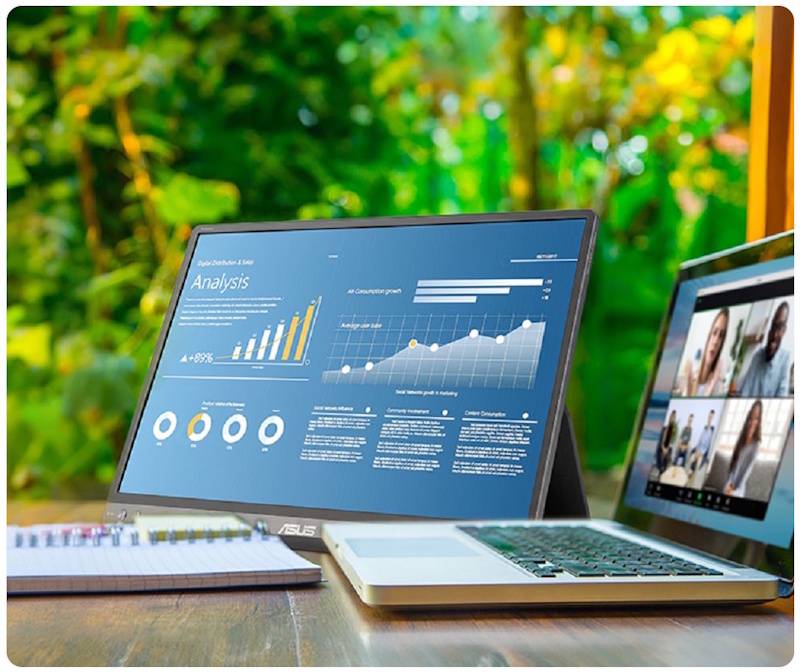
Impressive visuals
ASUS SmoothMotion technology enables a 155 Hz refresh rate (overclocked), so everything from scrolling through webpages to gaming on ZenScreen MB16NCG feels fluid and responsive. Its DCI-P3 gamut ensure exceptional contrast and color performance.
More immersives
Brings you a stunning 16:10 display that’s both wider and more vibrant, boasting up to 2560 x 1600resolution and an impressive 84% screen-to-body ratio. Enjoy an expansive, vivid view all packed into a sleek, lightweight extended portable monitor.
.jpg)
Power pass through
There is the two-way power delivery function built in. The MB16NCG portable monitor can be powered by a laptop, or deliver power to a laptop via pass-through charging when plugged into a USB-C power bank or AC adapter and outlet*.Note: 1. The connected adaptor will need to supply up to 80 W to reach its maximum 65 W Power Delivery
2. Suggest to use the in-box 30 W adaptor to have Power Delivery support
One cable is all you need
MB16NCG features rich connectivity with dual USB-C and mini-HDMI ports. A single USB-C cable* is all you need to duplicate or extend your laptop screen. USB-C handles both power and video signal transmission, so it’s simply a matter of plug-and-play when it’s time to level up your work efficiency.
Note* Need to check whether the USB-C port of your laptop supports DP Alt mode prior to use.
Or You can use HDMI connectivity along with USB-C (DC-IN) as power input instead if your laptop does not support USB-C (DP)
Note* Need to check whether the USB-C port of your laptop supports DP Alt mode prior to use.
Or You can use HDMI connectivity along with USB-C (DC-IN) as power input instead if your laptop does not support USB-C (DP)
.png)
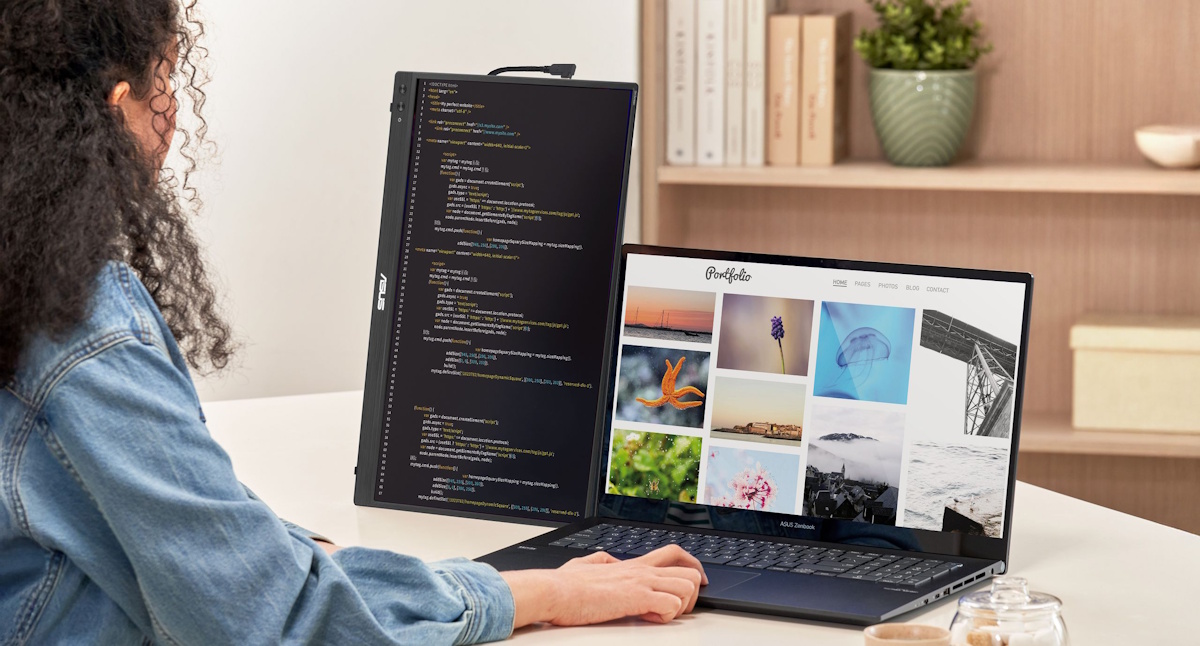
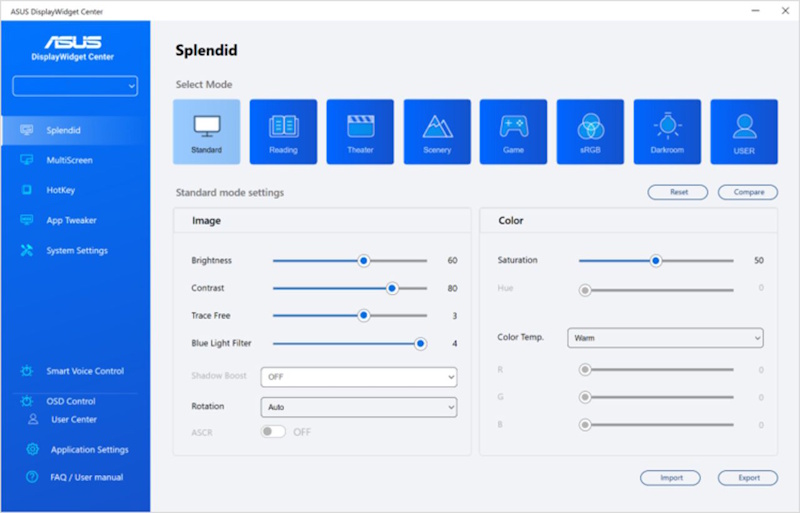
Automatic screen orientation
When connected to a Windows PC, the ASUS DisplayWidget Center tool* enables MB16NCG to sense its orientation and automatically switches the display between landscape and portrait modes.*Software required. Auto-rotate function works with both Windows and MAC OS.
ASUS Eye Care
ASUS Ultra-Low Blue Light technology reduces potentially harmful blue light emissions and includes additional features that are beneficial to those who spend long hours in front of a display.
LOW BLUE LIGHT
ASUS Blue Light Filter
The ASUS Blue Light Filter protects viewers from harmful blue light. This feature offers a range of filter settings that are easy to access via the intuitive OSD menu.ZenScreen MB16NCG has passed stringent performance tests and is certified by TÜV Rheinland laboratories, a global provider of technical, safety, and certification services.
.jpg)
.jpg)
With Blue Light Filter
Without Blue Light Filter
FLICKER FREE TECHNOLOGY
ASUS Flicker Free
TÜV Rheinland-certified ASUS Flicker Free technology eliminates flicker, ensuring comfortable viewing experiences. This technology helps minimize eyestrain and other ailments typically associated with extended hours of viewing..jpg)
.jpg)
With ASUS Flicker Free technology
Without ASUS Flicker Free technology
FAQ
Is this monitor compatible with MacBooks?
Yes, it is compatible with most MacBooks that support USB-C with DisplayPort Alt Mode. Simply connect the monitor to your MacBook using a USB-C to USB-C cable (included). No additional drivers are needed for macOS.
Further information 1): All MacBooks with Thunderbolt 3, Thunderbolt 4, Thunderbolt 5, or USB4 ports support DisplayPort Alt Mode. This includes:
MacBook Pro
MacBook Pro (13", 15", 16") - 2016 and later
All models from 2016 onward feature Thunderbolt 3 or later via USB-C.
Example: MacBook Pro 16" (2019, Intel) - confirmed to support DP Alt Mode 1.
MacBook Air
MacBook Air - 2018 and later
Starting with the 2018 Retina MacBook Air, all models include USB-C with Thunderbolt 3 or later.
Apple Silicon Macs
MacBook Air and MacBook Pro with M1, M2, M3, M4 chips
All Apple Silicon models support DisplayPort Alt Mode over USB-C.
Tip: For older MacBooks without USB-C, you can use the mini-HDMI port with a appropriate compatible adapter.
Further information 1): All MacBooks with Thunderbolt 3, Thunderbolt 4, Thunderbolt 5, or USB4 ports support DisplayPort Alt Mode. This includes:
MacBook Pro
MacBook Pro (13", 15", 16") - 2016 and later
All models from 2016 onward feature Thunderbolt 3 or later via USB-C.
Example: MacBook Pro 16" (2019, Intel) - confirmed to support DP Alt Mode 1.
MacBook Air
MacBook Air - 2018 and later
Starting with the 2018 Retina MacBook Air, all models include USB-C with Thunderbolt 3 or later.
Apple Silicon Macs
MacBook Air and MacBook Pro with M1, M2, M3, M4 chips
All Apple Silicon models support DisplayPort Alt Mode over USB-C.
Tip: For older MacBooks without USB-C, you can use the mini-HDMI port with a appropriate compatible adapter.
Can this monitor be used in portrait mode?
Yes, all ASUS's portable monitors can support portrait mode. Here are two ways to enable this function:
A. Use ASUS Software DisplayWidget Center Download the latest software from ASUS site. Run the app on PC. Then the screen content will automatically adjust when the monitor is physically rotated between landscape and portrait modes. If the auto-rotation is disabled, manually adjust rotation degree angle under in Splendid -> Image -> Rotation in DisplayWidget Center. B. Use OSD Manually adjust the OSD settings on your PC to switch enable portrait mode. For Windows: Go to Display Settings -> Orientation -> Portrait
For MacOS: System Settings -> Displays -> Rotation
For MacOS: System Settings -> Displays -> Rotation
Does It need a power outlet?
Not necessarily.
Tip: Use the bundled USB-C cable. It can transfer power and signal at the same time.
- For those device supports DisplayPort Alt Mode, when connected via USB-C to a laptop, it can draw power directly from the device.
- For HDMI connections, you'll need to supply power via the other USB-C port using a USB-C power adapter
Tip: Use the bundled USB-C cable. It can transfer power and signal at the same time.
Can it connect to a laptop?
Absolutely!
USB-C laptops : Use a USB-C to USB-C cable. If your laptop does not support USB-C DP Alt mode (support power and video transmission), please use HDMI connection and USB-C adaptor as power outlet. HDMI laptops : Use a mini-HDMI to HDMI cable and connect power via HDMI port and external power supply through USB-C port. Tip: Most modern laptops are compatible. No drivers are needed for Windows/macOS/Linux.
Tip: If your laptop's USB-C port can't support DP Alt Mode, use HDMI port for signal and USB-C adapter to supply power.
Compatible USB-C Ports
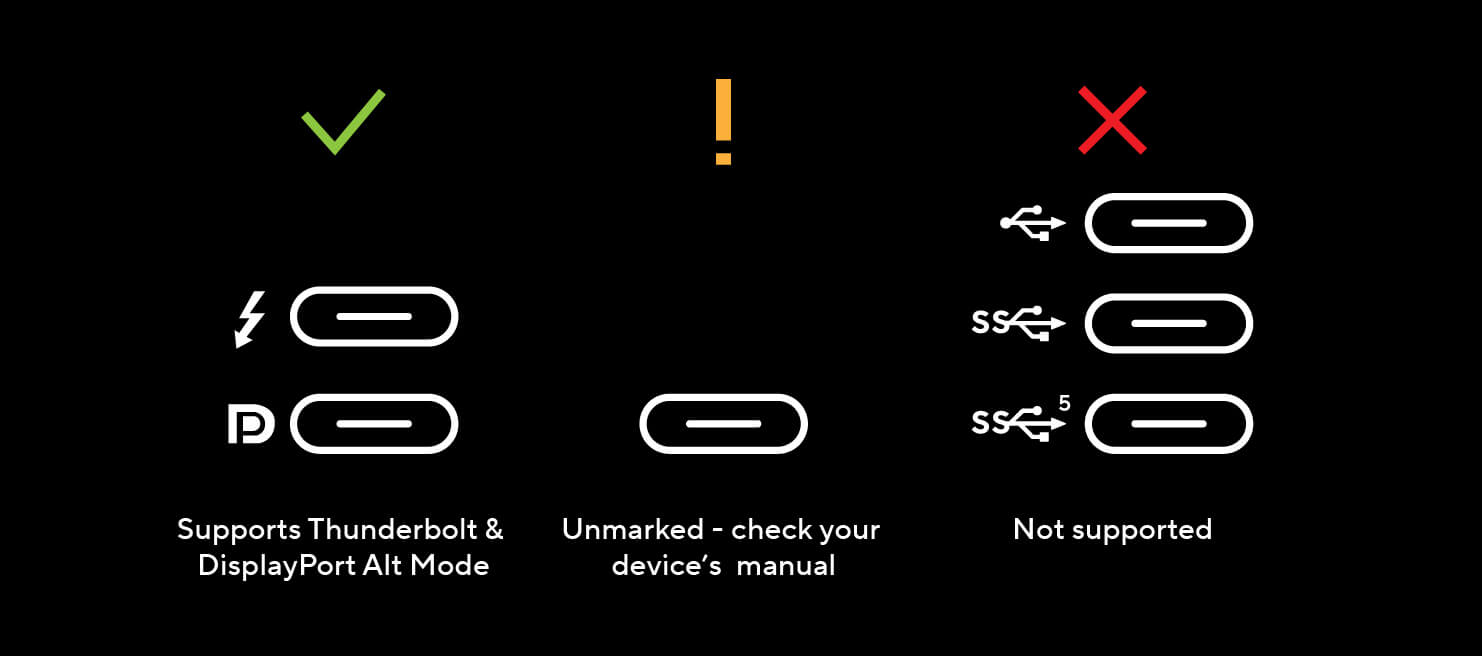
Not all USB-C ports support power and video transmission—some only handle data or charging.See the image below for which USB-C ports work with ASUS ZenScreen portable monitor.
Tip: If your laptop's USB-C port can't support DP Alt Mode, use HDMI port for signal and USB-C adapter to supply power.
Compatible USB-C Ports
Not all USB-C ports support power and video transmission—some only handle data or charging.See the image below for which USB-C ports work with ASUS ZenScreen portable monitor.
Can it connect to a console?
Yes, you can connect via HDMI port with XBOX and PlayStation series or Nintendo switch with its included dock.

Sustaining an
Incredible Future
Environmental Certification
ASUS ZenScreen MB16NCG is stringently tested to meet the requirements of world-leading sustainability certifications. These tests include a comprehensive database of up-to-date criteria, independent verification, and a structured system for continuous improvement.
Eco-friendly Packaging
The sustainable packaging of ZenScreen MB16NCG is FSC® Mix-certified. The lightweight, eco-friendly cardboard box that it’s packed in is designed to keep overall volume to a minimum, for more efficient shipping.
- Products certified by the Federal Communications Commission and Industry Canada will be distributed in the United States and Canada. Please visit the ASUS USA and ASUS Canada websites for information about locally available products.
- All specifications are subject to change without notice. Please check with your supplier for exact offers. Products may not be available in all markets.
- Specifications and features vary by model, and all images are illustrative. Please refer to specification pages for full details.
- PCB color and bundled software versions are subject to change without notice.
- Brand and product names mentioned are trademarks of their respective companies.
- The terms HDMI and HDMI High-Definition Multimedia Interface, HDMI trade dress and the HDMI Logos are trademarks or registered trademarks of HDMI Licensing Administrator, Inc. in the United States and other countries.
- Product Security Update Support Periods : 3 years (until 31/12/2026).
- The actual transfer speed of USB 3.0, 3.1, 3.2, and/or Type-C will vary depending on many factors including the processing speed of the host device, file attributes and other factors related to system configuration and your operating environment.
- Please avoid hanging headphones or attaching any items that don't belong to the monitor itself to prevent reducing the monitor’s lifespan.
About ASUS
ASUS is a multinational company best known for their motherboards, PCs, monitors, graphics cards and routers. Along with an expanding range of superior gaming, content-creation and AIoT solutions, ASUS leads the industry through cutting-edge design and innovations made to create the most ubiquitous, intelligent, heartfelt and joyful smart life for everyone. With a global workforce that includes more than 5,000 R&D professionals, ASUS is driven to become the world’s most admired innovative leading technology enterprise.
About ROG
Republic of Gamers (ROG) is an ASUS sub-brand dedicated to creating the world’s best gaming hardware and software. Formed in 2006, ROG offers a complete line of innovative products known for performance and quality, including motherboards, graphics cards, laptops, desktops, monitors, audio equipment, routers and peripherals. ROG participates in and sponsors major international gaming events. ROG gear has been used to set hundreds of overclocking records and it continues to be the preferred choice of gamers and enthusiasts around the world.
© 2026 ASUS Computer International. All Rights Reserved. ASUS is a registered trademark of ASUSTeK Computer. All specifications and terms are subject to change without notice. Please check with your supplier for exact offers on selected models. Products may not be available in all markets. Product may not be exactly as shown in photos. Actual colors may differ from their appearance due to variation of monitor restrictions and color processing. All trademarks are registered to their respective companies. ASUS shall not be liable for technical or editorial errors or omissions contained herein.
ASUS is a multinational company best known for their motherboards, PCs, monitors, graphics cards and routers. Along with an expanding range of superior gaming, content-creation and AIoT solutions, ASUS leads the industry through cutting-edge design and innovations made to create the most ubiquitous, intelligent, heartfelt and joyful smart life for everyone. With a global workforce that includes more than 5,000 R&D professionals, ASUS is driven to become the world’s most admired innovative leading technology enterprise.
About ROG
Republic of Gamers (ROG) is an ASUS sub-brand dedicated to creating the world’s best gaming hardware and software. Formed in 2006, ROG offers a complete line of innovative products known for performance and quality, including motherboards, graphics cards, laptops, desktops, monitors, audio equipment, routers and peripherals. ROG participates in and sponsors major international gaming events. ROG gear has been used to set hundreds of overclocking records and it continues to be the preferred choice of gamers and enthusiasts around the world.
© 2026 ASUS Computer International. All Rights Reserved. ASUS is a registered trademark of ASUSTeK Computer. All specifications and terms are subject to change without notice. Please check with your supplier for exact offers on selected models. Products may not be available in all markets. Product may not be exactly as shown in photos. Actual colors may differ from their appearance due to variation of monitor restrictions and color processing. All trademarks are registered to their respective companies. ASUS shall not be liable for technical or editorial errors or omissions contained herein.
Se Asus seneste FAQ - løser 90 % af typiske problemer
http://www.asus.com/dk/support/
Teknisk support: 38 32 29 43
Bemærk: Enkelte produkter forekommer med tysk manual i stedet for Dansk.
https://rma.asus-europe.eu/?country=dk
I tilfælde af problemer kan Asus kontaktes på 38 32 29 43
ASUS tilbyder 7 dages DOA, Hent DOA formular her
https://drive.google.com/file/d/1lJ00yTXfFLrQrG6m9PHZ5HS2C55gdpGm/view?usp=sharing
Send til [email protected]
ASUS skal kontaktes direkte for forespørgseler til reklamation.
Vurderes problemet godkendt til en reklamation, resultater dette i et sags nummer der giver adgang til ASUS pickup skema for reparation og ombytninger.
Du udfylder den relaterende produktside formularer (det er vigtigt, at du vælger hvorvidt det er en Notebook, en Eee eller en anden vare).
Formularen afsluttes og kunden modtagere et ASUS RMA nummer og mere information omkring afhentnings processen.
ASUS sender et fragtlabel, til indsendelse af produktet.
http://www.asus.com/dk/support/
Teknisk support: 38 32 29 43
Bemærk: Enkelte produkter forekommer med tysk manual i stedet for Dansk.
RMA
For håndtering og oprettelse af Asus garanti benythttps://rma.asus-europe.eu/?country=dk
I tilfælde af problemer kan Asus kontaktes på 38 32 29 43
ASUS tilbyder 7 dages DOA, Hent DOA formular her
https://drive.google.com/file/d/1lJ00yTXfFLrQrG6m9PHZ5HS2C55gdpGm/view?usp=sharing
Send til [email protected]
ASUS skal kontaktes direkte for forespørgseler til reklamation.
Vurderes problemet godkendt til en reklamation, resultater dette i et sags nummer der giver adgang til ASUS pickup skema for reparation og ombytninger.
Du udfylder den relaterende produktside formularer (det er vigtigt, at du vælger hvorvidt det er en Notebook, en Eee eller en anden vare).
Formularen afsluttes og kunden modtagere et ASUS RMA nummer og mere information omkring afhentnings processen.
ASUS sender et fragtlabel, til indsendelse af produktet.