


To gain full access to our webshop, find our entire product range and see our prices, you need to be logged in.
Log in to your account here or sign up as a customer here.
Log in to your account here or sign up as a customer here.
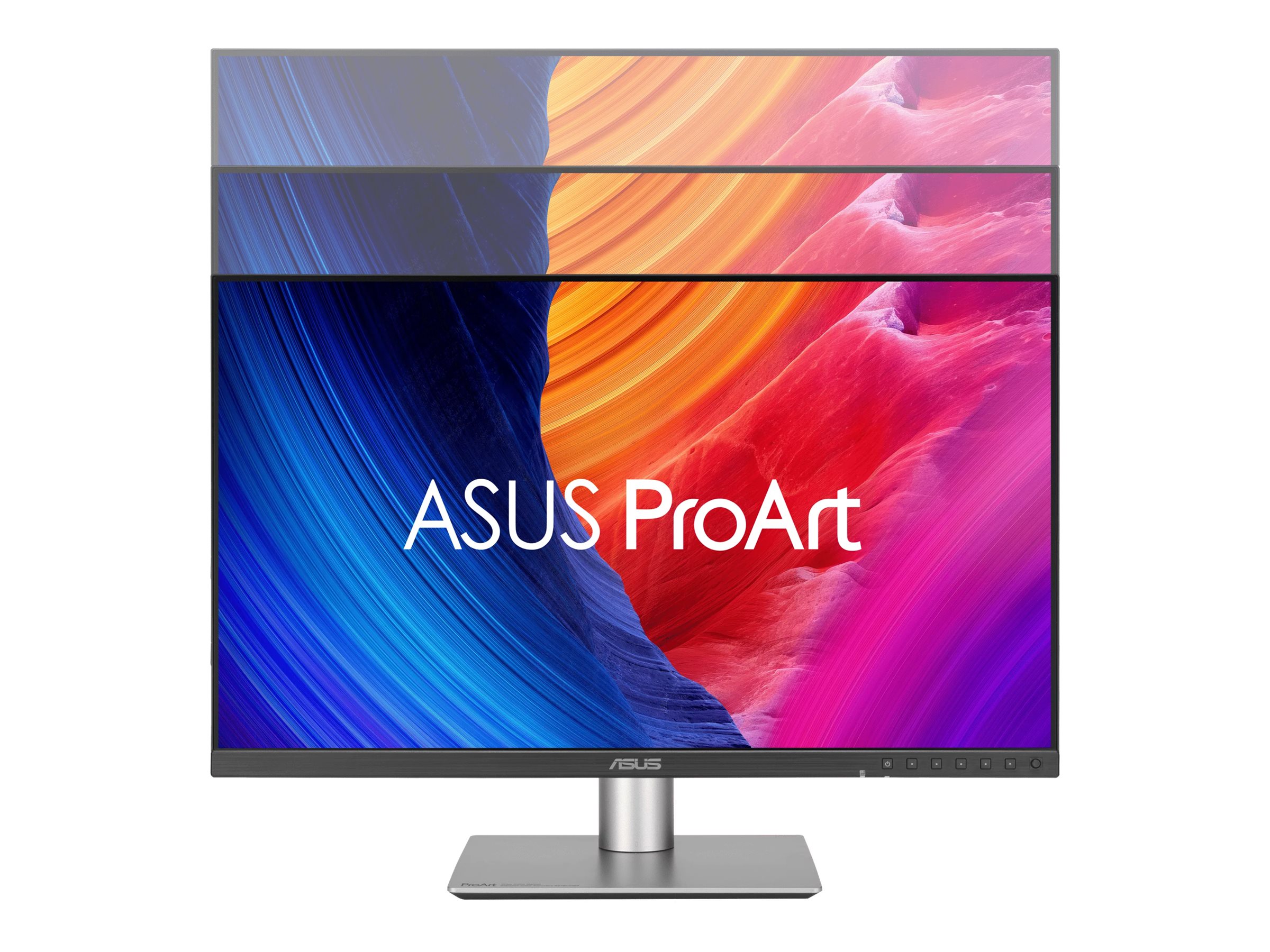
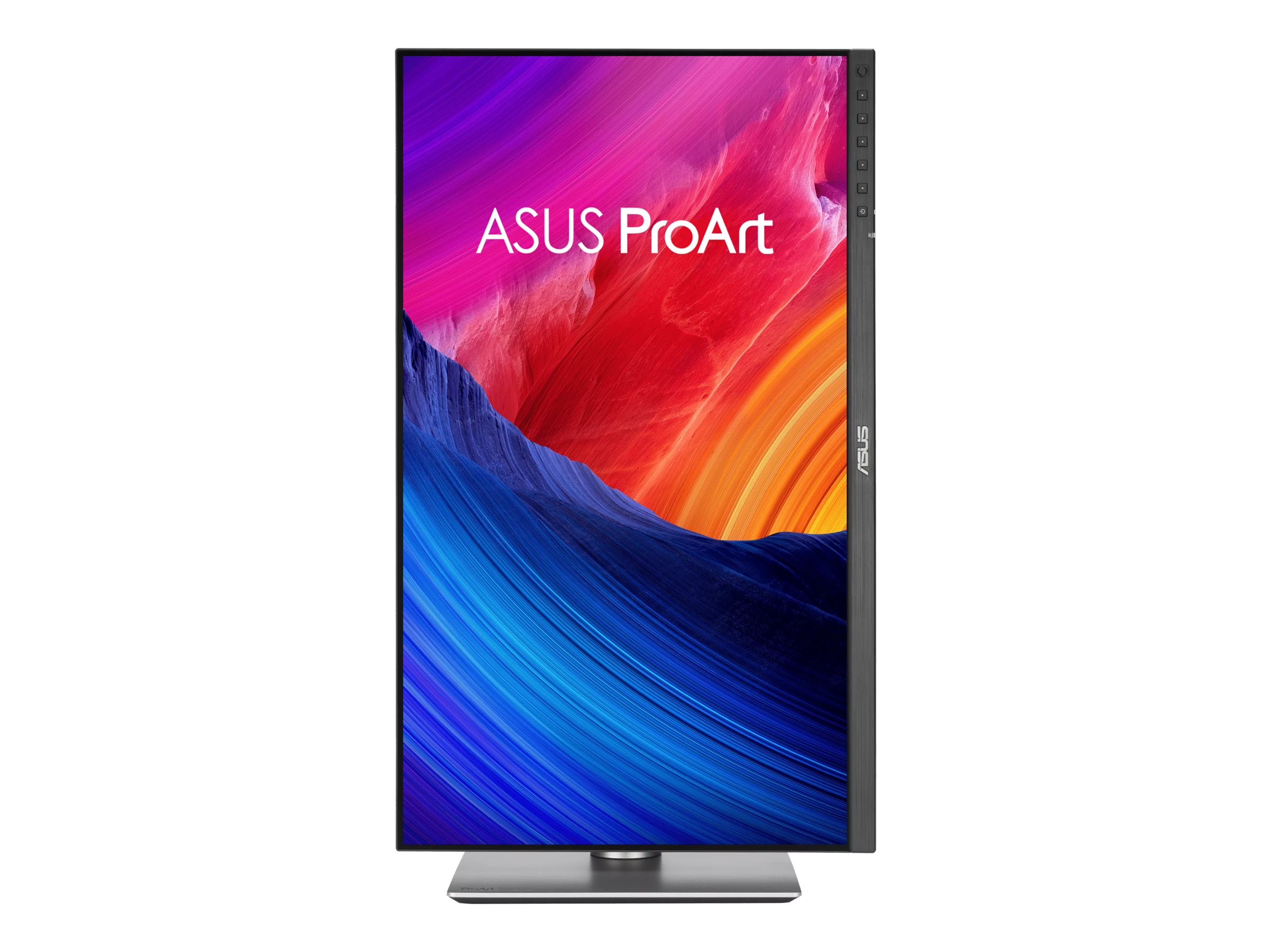
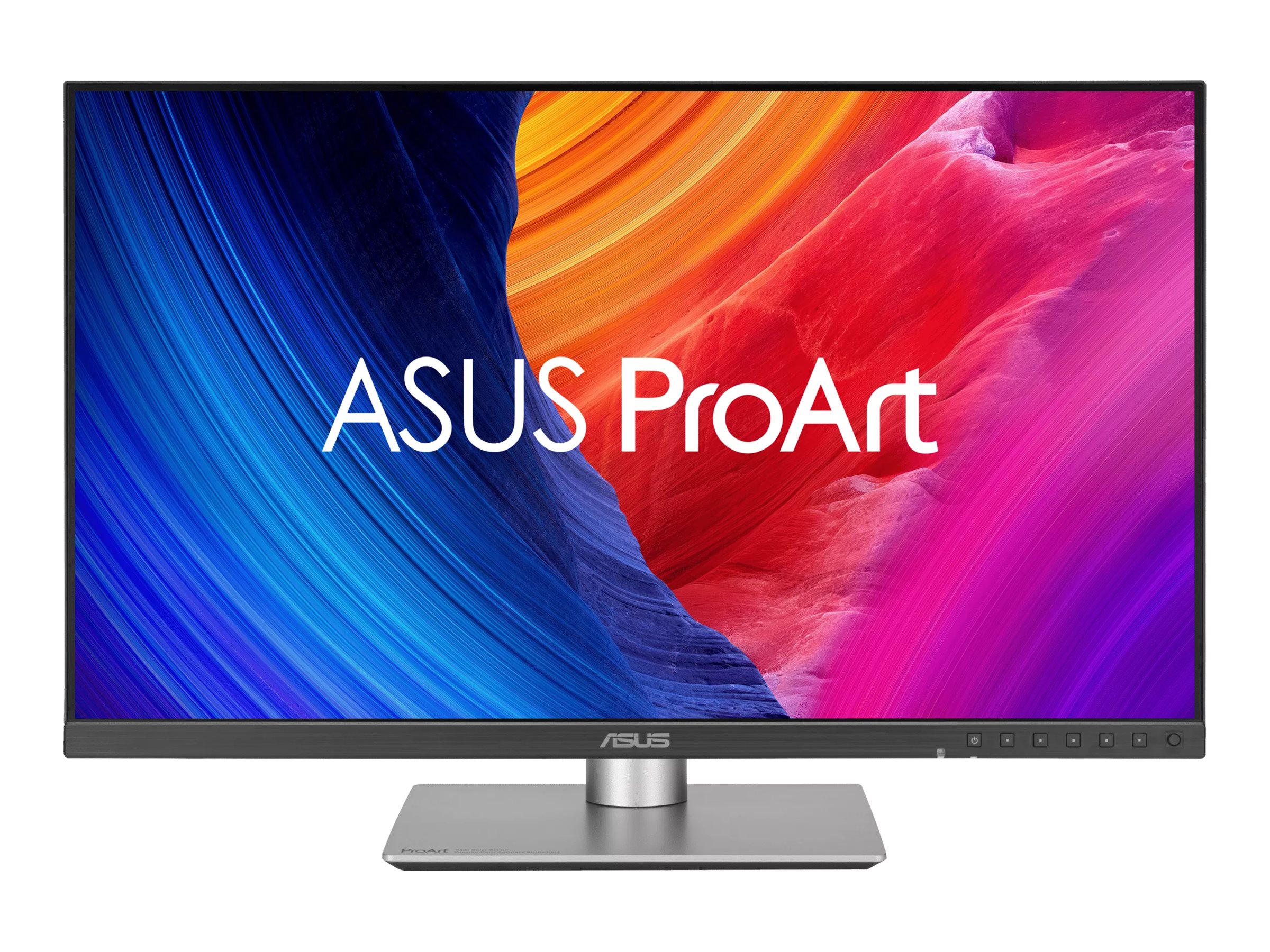
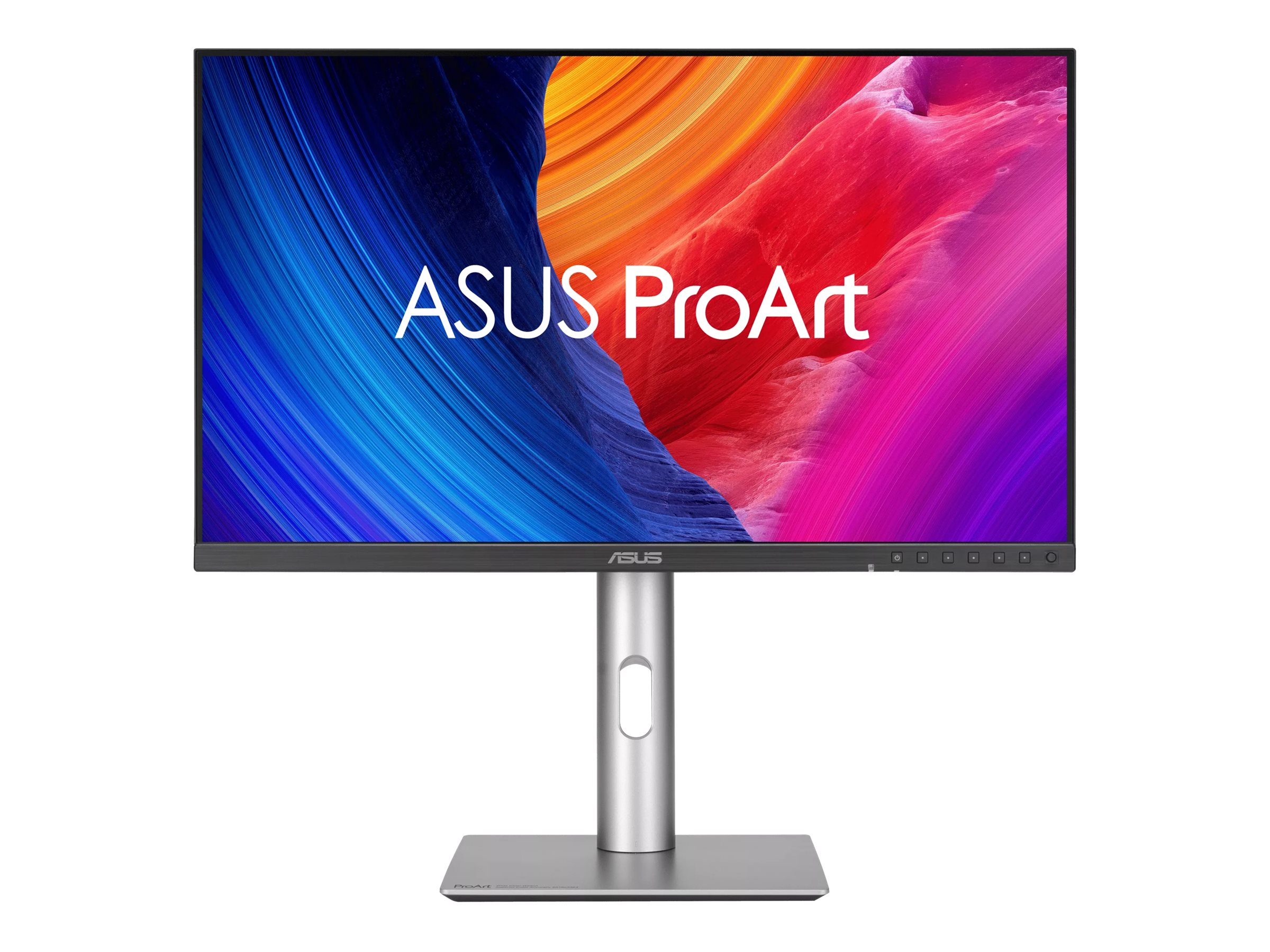
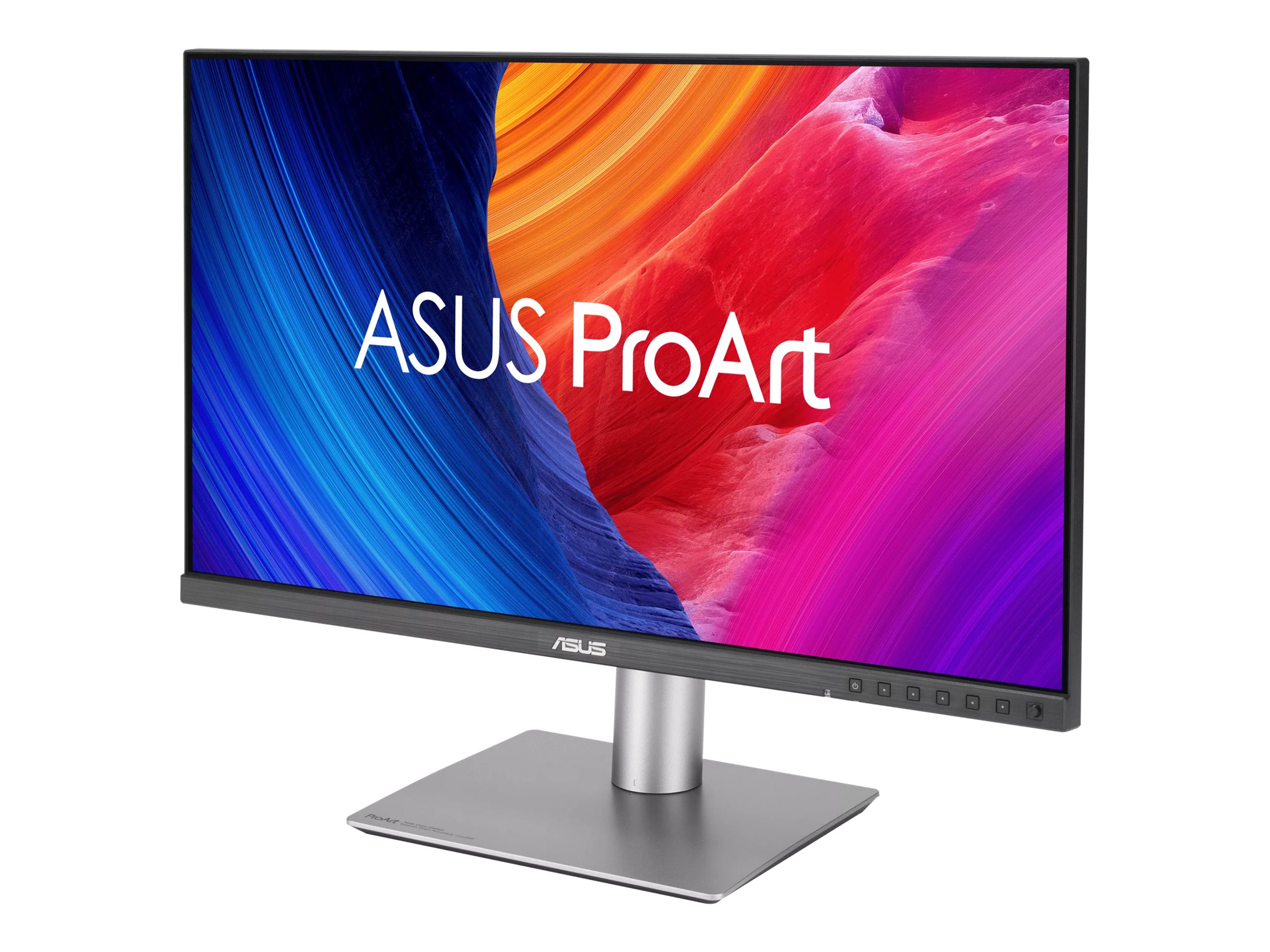
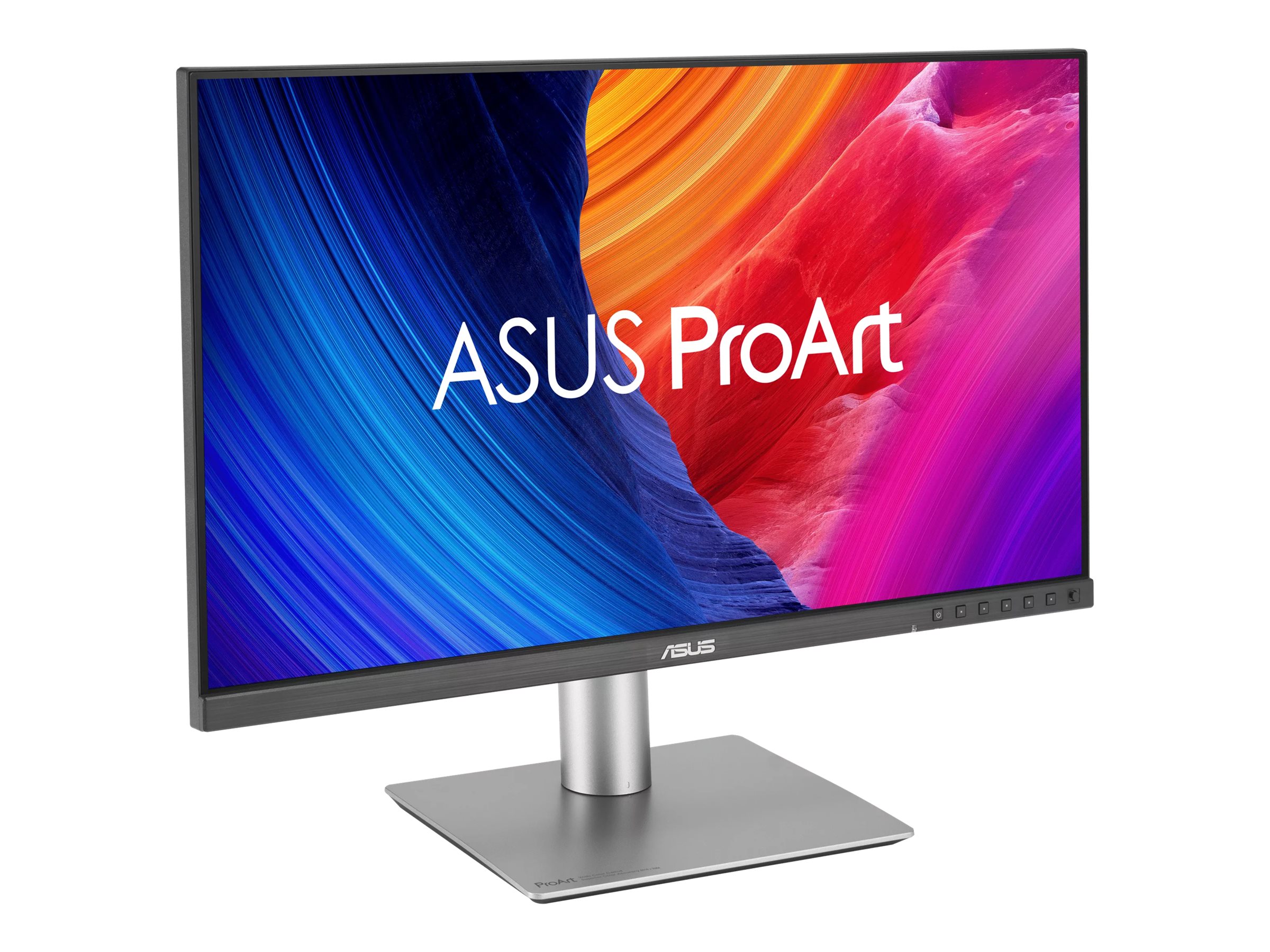

ASUS ProArt PA32QCV 32" IPS 6016 x 3384 HDMI DisplayPort 60Hz
ASUS ProArt PA32QCV - LED-skærm - USB - 32" (31.5" til at se) - 6016 x 3384 6K @ 60 Hz - IPS - 600 cd/m² - 3000:1 - DisplayHDR 600 - 5 ms - 2xThunderbolt 4, DisplayPort, HDMI - højtalere - sort
-
Product no 1003523986
Model PA32QCV
Brand ASUSTeK COMPUTER
Go to brand's websiteEAN 4711387860076
Weight 13.4 kg
-
Product information and specifications are guiding only. Without notice, these can be subject to change by the manufacturer. This applies for product images as well.
| Produktbeskrivelse | ASUS ProArt PA32QCV - LED-skærm - 6K - 32" - HDR |
| Enhedstype | LED-baggrundsbelyst LCD-skærm - 32" |
| Energimærke QR-kode URL | Https://eprel.ec.europa.eu/qr/2376659 |
| Energiklasse | Klasse G |
| KVM Switch | USB |
| Adaptive-Sync teknologi | VESA MediaSync |
| Egenskaber | KVM switch, omgivende lyssensor |
| Paneltype | IPS |
| Formatforhold | 16:9 |
| Standard opløsning | 6K 6016 x 3384 ved 60 Hz |
| Pixel Pitch | 0.1116 mm |
| Lysstyrke | 600 cd/m² |
| Kontrastforhold | 3000:1 |
| HDR-kapabel | HDR10 / DisplayHDR 600 |
| Responstid | 5 ms (grå-til-grå) |
| Farve support | 1,074 milliarder farver (10-bit) |
| Farvespektrum | 100% sRGB, 98% DCI-P3 |
| Input-stik | 2xThunderbolt 4, DisplayPort, HDMI |
| Justeringer til display-position | Højde, pivot (rotering), drejbar, tilt |
| Skærmbelægning | Blændfri, lavreflektionsbelægning |
| Spænding | AC 100-240 V (50/60 Hz) |
| Farve | Sort |
| Dimensioner (B x D x H) - med stander | 71.42 cm x 24.01 cm x 61.79 cm |
| Vægt | 9.3 kg |
| Miljømæssige standarder | TCO Certificeret, generation 10, til skærme |
| Overensstemmelsesstandarder | TUV Rheinland Low Blue Light Certification, TUV Rheinland Flicker Free Certification, FSC Mix |
| Producentgaranti | 3 års garanti |
.png)
ASUS ProArt Display 6K PA32QCV Professional Monitor – 32-inch (31.5-inch viewable), IPS, 6K (6016 x 3384), 98% DCI-P3, LuxPixel™ AGLR, Light Sync, Color Accuracy ΔE < 2, Calman Verified, Thunderbolt 4 PD 96W, VESA DisplayHDR 600 and VESA MediaSync, Auto KVM, Ergonomic Stand, ASUS DisplayWidget Center, Green Sustainability
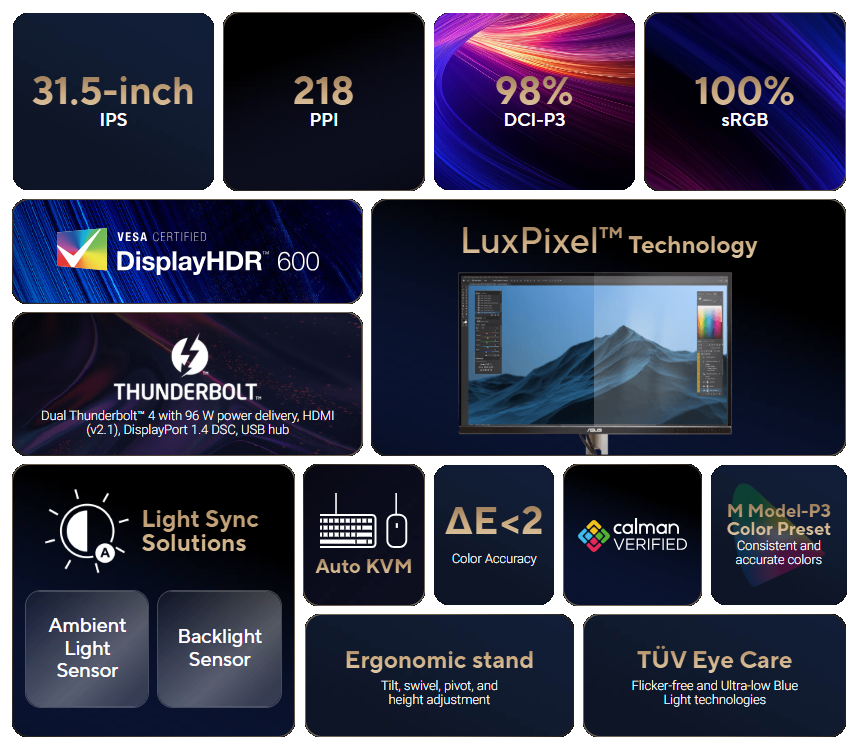
- 31.5-inch 6K (6016 x 3384) LuxPixel™ AGLR display with IPS 178° wide viewing angle panel
- International color standard 98% DCI-P3 and 100% sRGB wide color gamut
- Calman Verified with factory calibrated for excellent Delta E < 2 color accuracy
- Rich connectivity including dual Thunderbolt™ 4 up to 96 W Power Delivery with daisy-chaining, HDMI (v2.1), DisplayPort 1.4 and a built-in USB Hub
- The new M Model-P3 Color Preset Mode matches the color performance of MacBook display
- Light Sync solution support Ambient Light Sensor and Backlight Sensor for reliable color performance from the start
- Built-in Auto KVM allows for effortless switching between two connected laptops or PCs with a single keyboard and mouse
- Exclusive ASUS DisplayWidget Center application enables easy OSD access and monitor settings adjustments with a mouse
- Ergonomic design with tilt, swivel, pivot and height adjustments for a comfortable viewing experience
- Green Sustainability: paper packaging and energy-efficient environmental standards
.jpg)
.png)
.png)
.png)
.png)
.png)
.png)
.png)
.jpg)
ProArt Display 6K PA32QCV
Seeing Beyond Belief
ProArt Display PA32QCV is a 31.5-inch 6K HDR monitor designed for professional content creators. This Calman Verified display boasts a wide gamut with 98% DCI-P3 coverage and Delta E < 2 color accuracy. The ProArt Preset feature now includes the new M Model-P3 mode to deliver seamless and consistent colors when working with MacBook devices. Dual Thunderbolt™ 4 ports support daisy-chaining* and enable superfast data transfers and 96-watt power delivery via a single cable.
*MacBook daisy-chaining capabilities may vary by model.
.jpg)
Empowering Content Creators
.png)
AI Artists
Future-proof compatibility and seamless adaptability to new devices and software.
.png)
Filmmakers & Video Editors
Ultrahigh resolution and wide color gamut for 6K HDR video production.
.png)
Colorists
Factory calibrated to Delta E < 2 color accuracy for industry-leading color fidelity.
.png)
Designers & Photographers
Truly precise color reproduction to bring out the details in photographs or digital artwork.
The Perfect Monitor When Working on MacBook
ProArt Display PA32QCV combines professional-grade performance with sleek design and Mac-tested compatibility. Offering vibrant colors and versatile connectivity, PA32QCV is ideal for Mac users seeking exceptional color accuracy and unmatched productivity.
.png)
Seamless MacBook Controls
Use the MacBook brightness button to control the monitor’s brightness*.
.png)
M Model-P3 Preset Mode
New M Model-P3 Preset Mode aligns ProArt Display colors with macOS devices.
.png)
Instant Adjustment
Intuitive display control with ASUS DisplayWidget Center for macOS.
.png)
Stunning High-Resolution Visuals
High-PPI count for enhanced clarity and an expansive workspace.
.png)
Connect Efficiently & Stay Organized
Thunderbolt™ 4 ports cater to all creative needs.
.png)
Trusted Compatibility
Tested by trusted third parties to ensure compatibility.
“Apple”, “Mac”, and “MacBook” are registered trademarks of Apple Inc. ASUS and its products are not affiliated by Apple Inc. in any way.

.png)
Exceptional 6K HDR Visuals
The 6K HDR (6016 x 3384) panel of PA32QCV boasts a pixel density of 218 ppi ― more than 3.1 times that of a 32-inch FHD display. The high pixel density means text is sharp and easy to read, while enhanced visual clarity offers significant advantages for creators engaged in detailed projects.HDR10 and VESA DisplayHDR™ 600 compatibility ensure the brightest whites and darkest black hues for exceptional contrast that results in rich, lifelike imagery with fidelity that helps artists fully realize their creative visions.
6K
HDR
HDR
218
High-PPI
High-PPI
An Expansive Workspace
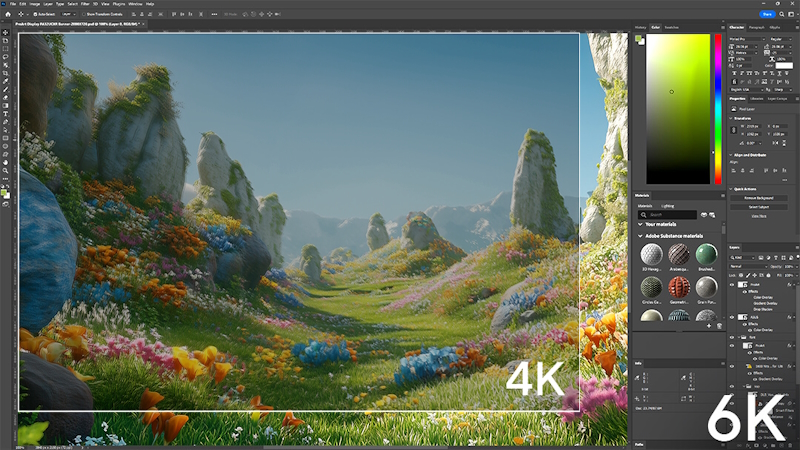
PA32QCV provides 145% more workspace than a 4K monitor of the same size. The larger canvas allows creators to effortlessly navigate through creative content.
145 % more
Workspace
145 % more
Workspace
.png)
Consistent Color Across Multiple Devices
ProArt Preset modes offer multiple color gamut options. The new M Model – P3 Color Preset mode is specifically designed to match the color performance between macOS devices and PA32QCV. This ensures seamless color consistency across screens, making the mode ideal for color-critical tasks like photo editing, video production, and graphic design.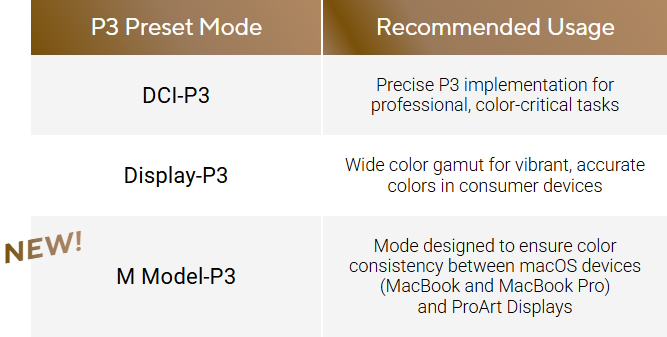
Seamless Monitor Management
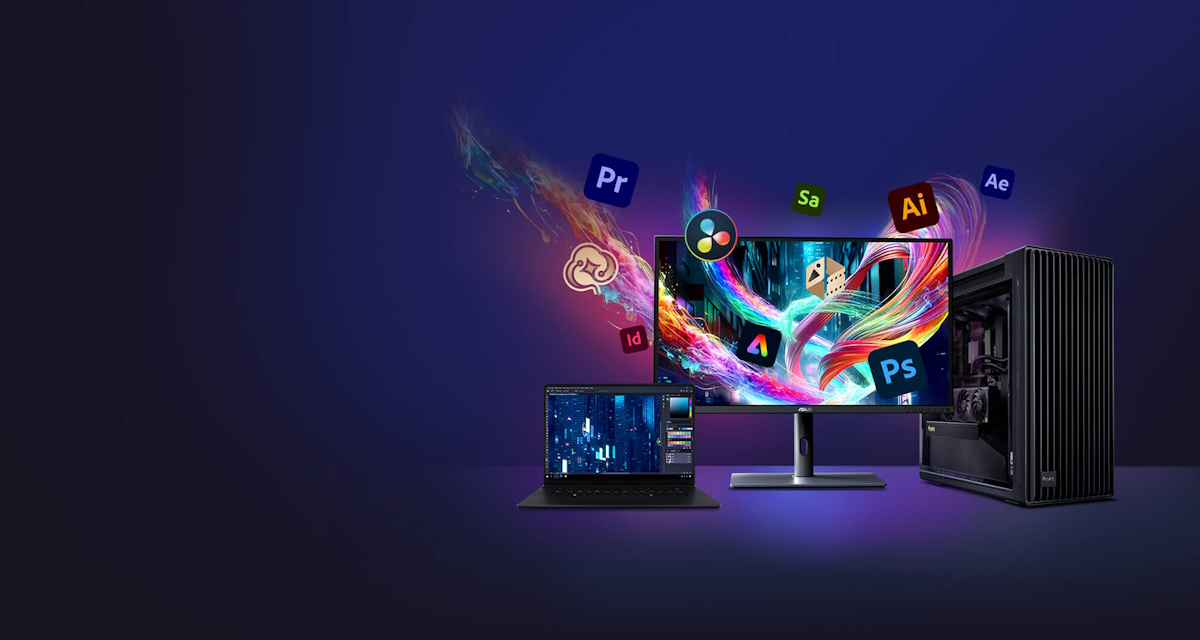
ASUS DisplayWidget Center is software that provides an intuitive interface to adjust monitor settings, including brightness, contrast, and color temperature. Whether a monitor is used for everyday viewing or for professional creative work, users can effortlessly find the optimal display settings for enhanced viewing experiences.
Windows
Compatible
Compatible
MacOS
Compatible
Compatible
.png)
Enjoy True-to-Life Color
The PA32QCV boasts 98% DCI-P3 and 100% sRGB color coverage. In addition, 10-bit color depth enables it to showcase more than 1.07 billion onscreen colors, bringing out the finest details in photos.98 %
DCI-P3
DCI-P3
100 %
sRGB
sRGB
.png)
True Color ― Right Out of the Box
Color professionals rely on color-accurate displays to ensure that their creations look exactly as intended. Each ProArt display is calibrated in the factory to meet Calman Verified standards and to achieve Delta E < 2 color accuracy.ΔE < 2
LuxPixel™ Clarity
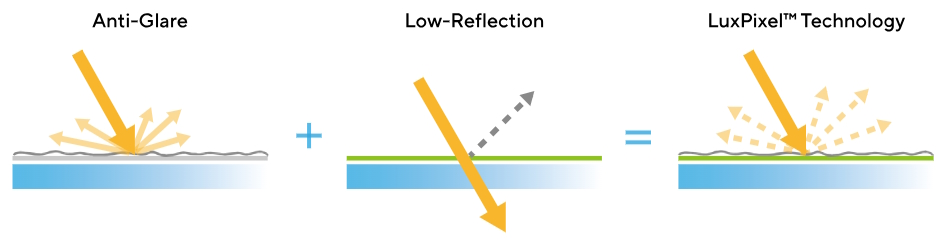
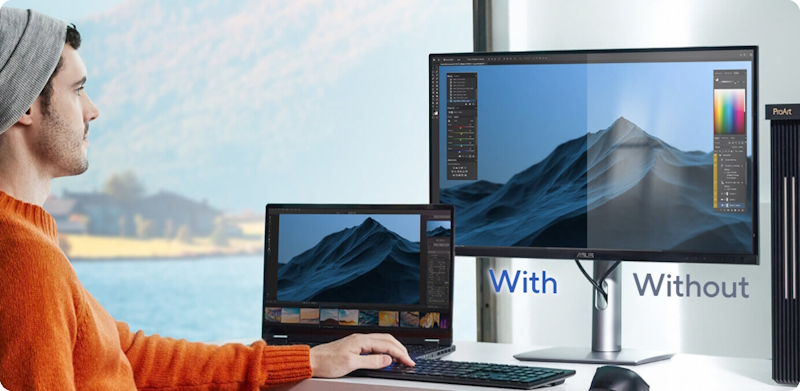
LuxPixel™ technology is an anti-glare, low-reflection (AGLR) coating that provides a paper-like screen effect. Unlike traditional matte panels which often show softer images, LuxPixel™ technology minimizes reflections to ensure the user only sees accurate colors and sharp details.
Photorealistic Colors
The PA32QCV monitor is equipped with ASUS Light Sync technology, featuring two sensors designed to ensure remarkably bright visuals and accurate color temperature.
BACKLIGHT SENSOR
A backlight sensor automatically detects backlight brightness to compensate for deviations at startup, eliminating warm-up time and ensuring accurate color performance, so you can dive straight in to work.AMBIENT LIGHT SENSOR
An ambient light sensor automatically adjusts display brightness and color temperature based on changes in environmental lighting, ensuring true colors every time.
Exquisite Design
Compared to its predecessor, PA32QCV has a space-saving base that’s 33% smaller, as well as a 30% slimmer profile that measures just 8mm at its thinnest point. With an understated elegance, it’s right at home in a studio or in any living space.
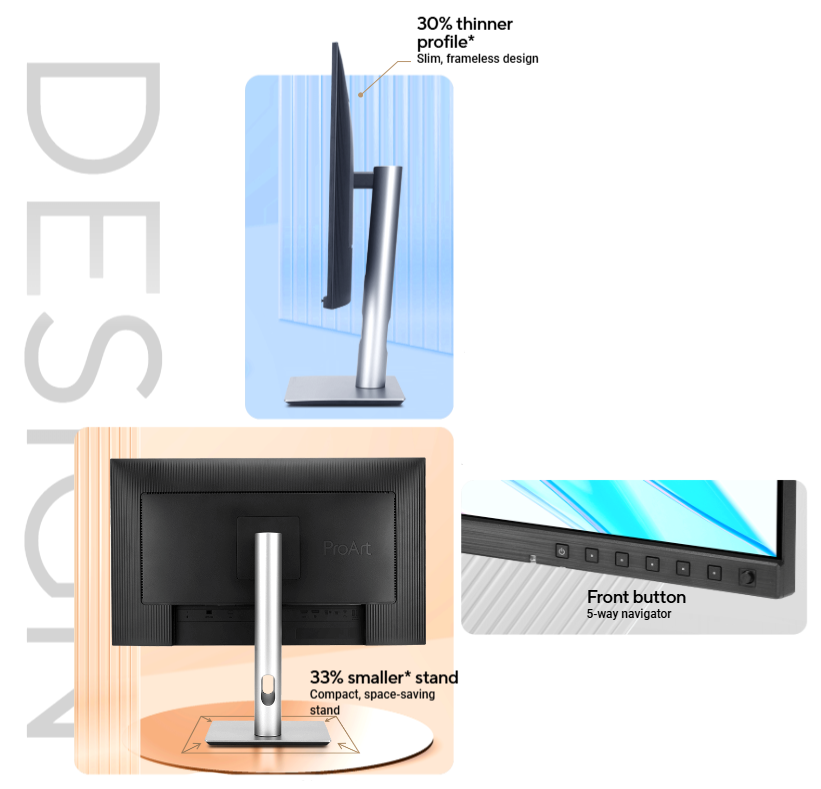
* Compared to a ProArt display of the same size.
Seamless Multitasking Across Two Devices
Built-in auto KVM allows for effortless switching and control between two connected laptops or PCs with a single keyboard and mouse, enabling easier multitasking.
.gif)
Thunderbolt™ 4 ― The Port that Does it All
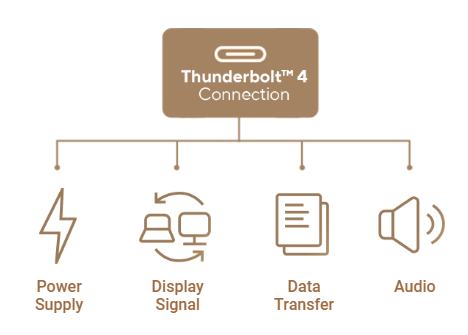
The Thunderbolt™ 4 ports featured in PA32QCV enable superfast data transfers, DisplayPort connectivity, and 96-watt Power Delivery to charge laptops and other devices ― all via a single cable. PA32QCV also serves as a USB hub: any device connected to the monitor’s USB ports gains access to other connected peripherals.
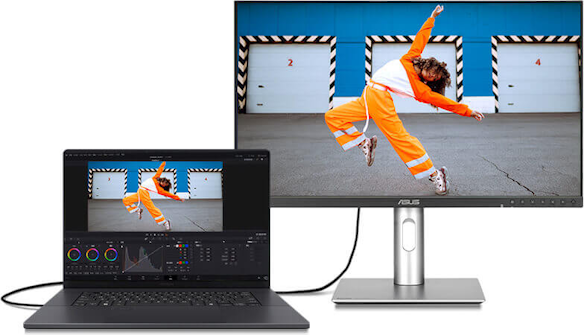
Expansive Connectivity
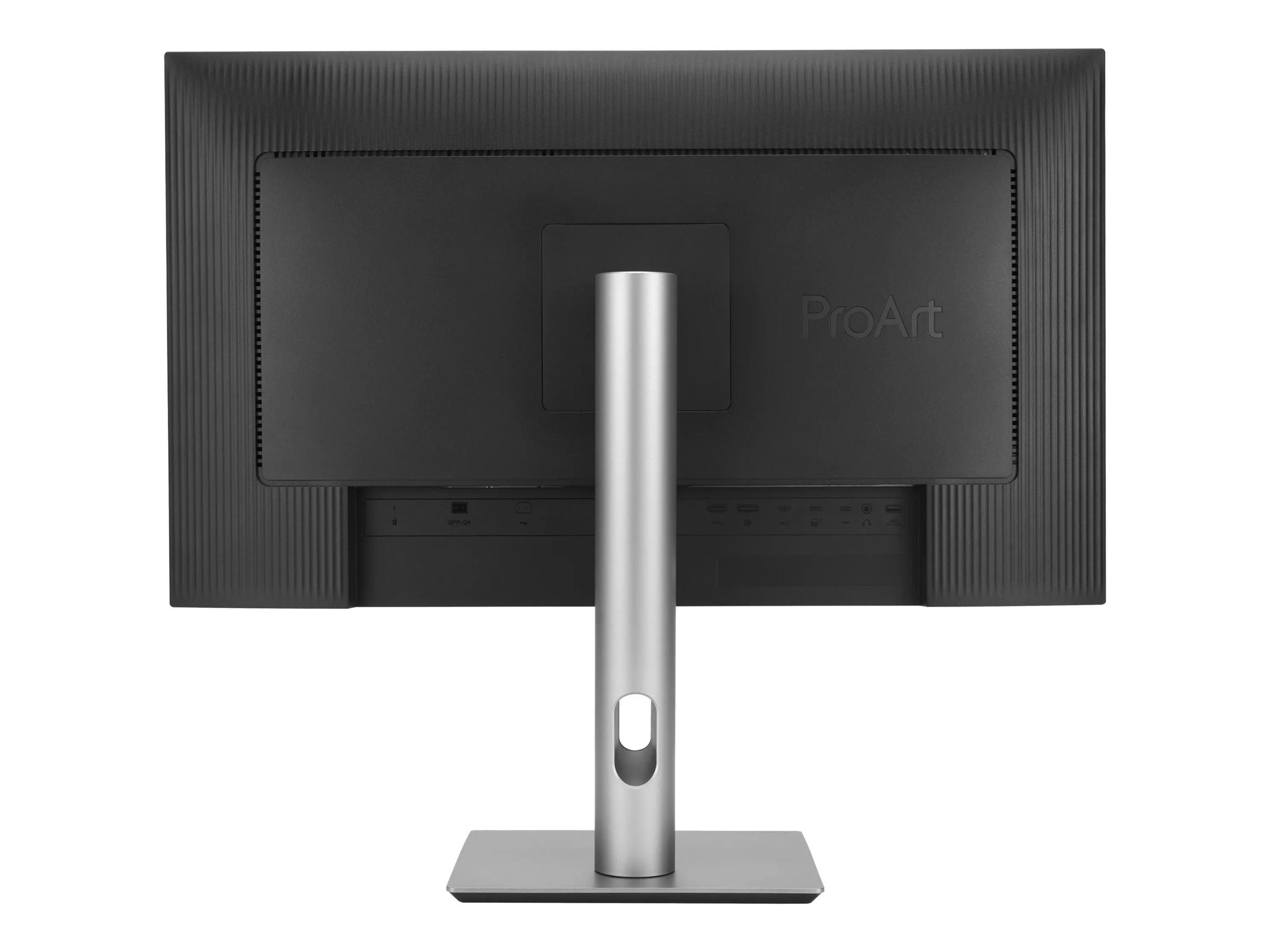
In addition to dual Thunderbolt™ 4, PA32QCV offers a myriad of connectivity options, including HDMI® 2.1, DisplayPort 1.4 DSC, USB Type-A, and an additional USB-C® downstream port for compatibility with a wide range of devices. PA32QCV also includes a passthrough port for headphones.
HDMI® 2.1
DisplayPort™ 1.4 DSC
Thunderbolt™ 4
USB-Hub
Earphone Jack
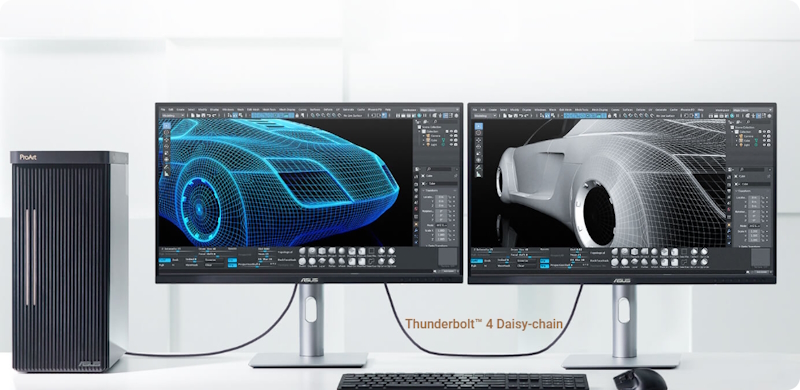
* MacBook daisy-chaining capabilities may vary by model.
.jpg)
Easily Connect Devices
A built-in USB 3.2 hub along the bottom bezel of PA32QCV includes one USB Type-A port and one USB-C, allowing for easy connections to a variety of devices and peripherals, as well as charge-compatible devices*.*Check the power requirements of the connected device to ensure it aligns with the monitor’s USB power output.
Ergonomic Stand
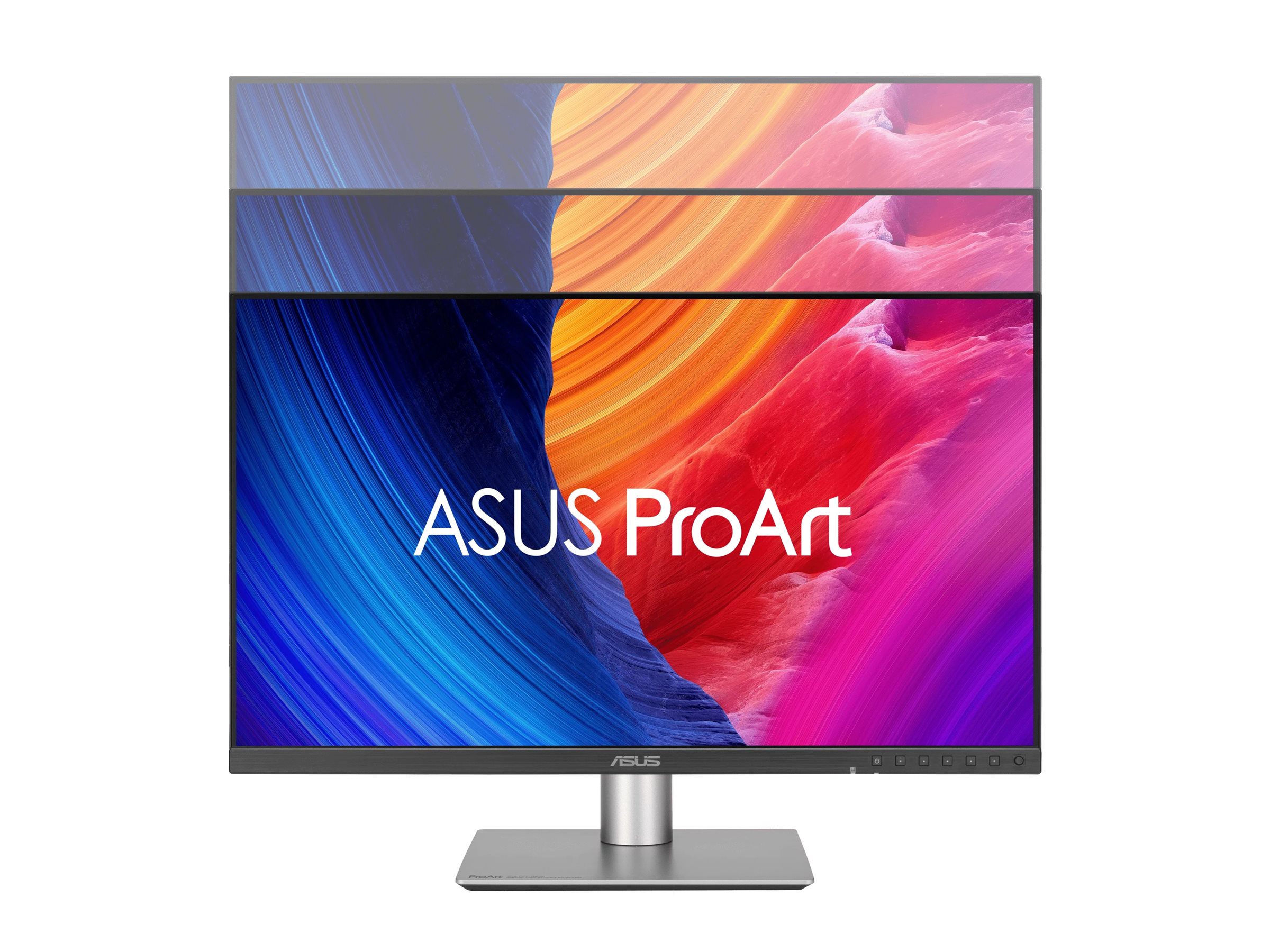
Each ProArt display features an ergonomic stand with tilt, swivel, pivot, and height adjustments for comfortable viewing. The ability to pivot the screen clockwise or counterclockwise 90° for use in Portrait mode comes in handy when working with long documents, coding or web browsing. Furthermore, the quick-release feature makes it easy to attach the display via the integrated VESA wall mount ― screw-free, so it's done in seconds!
.png)
.png)
.png)
.png)
Height Adjustment
0~130 mm
Tilt
-5°~+23°
Swivel
-30°~+30°
Pivot
-90°~+90°
What should Mac users keep in mind when choosing a suitable monitor for graphic design or video editing?
Mac devices deliver high-resolution visuals, so ideally, the paired monitor should be able to showcase high-res imagery, have a high pixel-per-inch count (PPI) and a wide DCI-P3 color gamut.
Can the monitor’s Thunderbolt™ 4 USB-C port charge a MacBook or Windows laptop?
Yes, the Thunderbolt™ 4 port of PA32QCV features 96-watt Power Delivery to charge MacBook or Windows laptops via a single USB-C cable. USB-C is able to transmit audio, video and data.
How can I activate the monitor’s USB hub when connected to a MacBook or Windows laptop?
If your MacBook or Windows laptop has a Thunderbolt™ / USB-C port that supports DP Alt mode, simply use a USB-C cable to connect to the ProArt monitor and the USB hub will be activated automatically. When connecting a MacBook or Windows laptop to the ProArt monitor via DisplayPort or HDMI, an additional USB-C-to-USB-A cable is required for an upstream connection to activate the USB hub.
What’s the M Model-P3?
This is a mode designed to ensure color consistency between macOS devices (MacBook, MacBook Pro, etc.) and ProArt Displays.
Should the monitor be calibrated before use?
Each ProArt display is individually calibrated at the factory to achieve Delta E<2 color accuracy. Each of the monitor’s color gamut standards (sRGB, DCI-P3, Adobe RGB, M Model-P3 mode) have also been calibrated, so it’s ready to use right out of the box.
What are the benefits of a KVM switch?
A KVM switch lets users control two connected laptops or PCs via a single keyboard and mouse. This helps maximize desktop space, allows for more efficient management of multiple systems, and reduces costs.
How do I set up the Auto KVM function?
One of the host devices must be connected via a USB-C (with DP Alt mode) connection, while the other device requires an HDMI or DisplayPort connection (for the video signal) along with a USB-C-to-USB-A connection for an upstream link. The keyboard or mouse dongle must then be plugged into the ProArt monitor to allow users to switch between and control the two input sources via a single keyboard and mouse set.
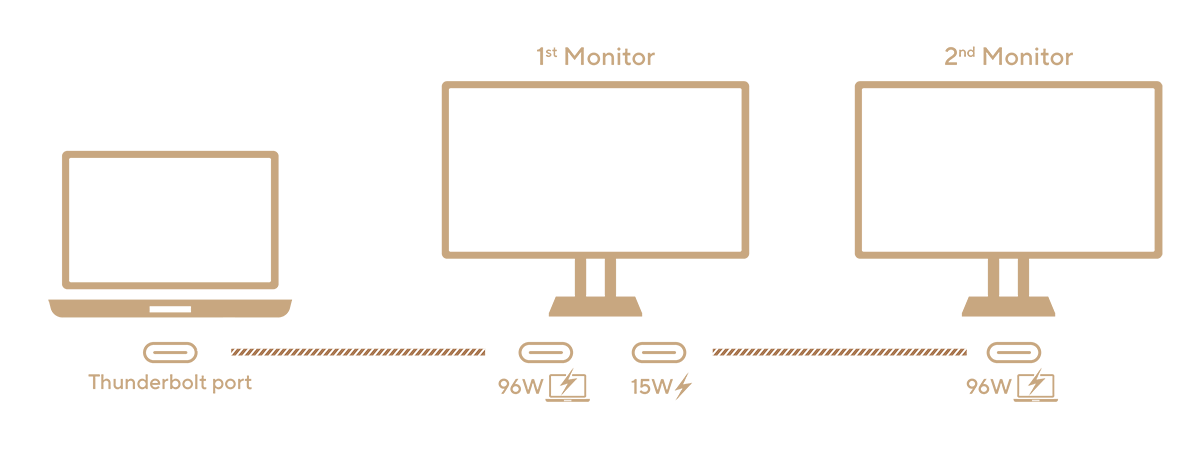
How to set up daisy-chained monitors with the MacBook, Mac or Windows laptop via Thunderbolt™?
1. Connect the First Monitor: Use a Thunderbolt™ 4 USB-C cable to connect the MacBook, Mac or Windows laptop to the Thunderbolt™ port on the first monitor, labeled with the 96W and laptop icon.2. Daisy Chain the Second Monitor: Connect the Thunderbolt™ port on the first monitor (labeled 15W) to the Thunderbolt™/USB-C port (with DP Alt mode) on the second monitor.


Sustaining anIncredible Future

Environmental Certification*
PA32QCV has been stringently tested to meet the requirements of world-leading sustainability certifications. These tests include a comprehensive database of up-to-date criteria, independent verification, and a structured system for continuous improvement.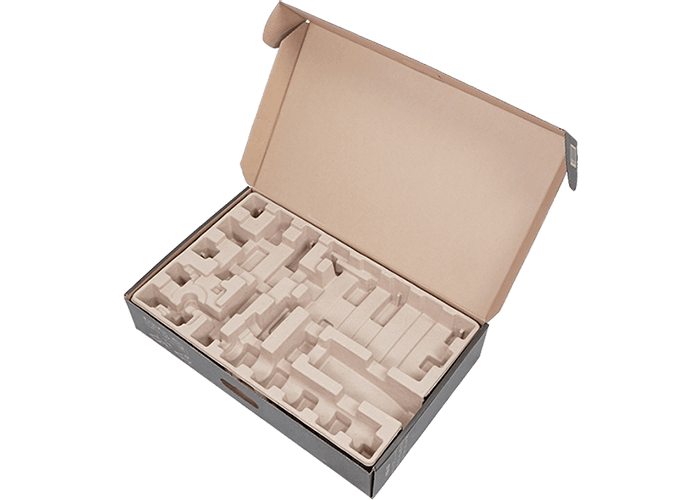
Eco-friendly Packaging
ProArt displays are shipped in packaging made from FSC®-certified 100% recycled cardboard. The packaging has been designed to minimize weight and volume, helping to conserve natural resources and allowing more devices to be transported in a single shipping container.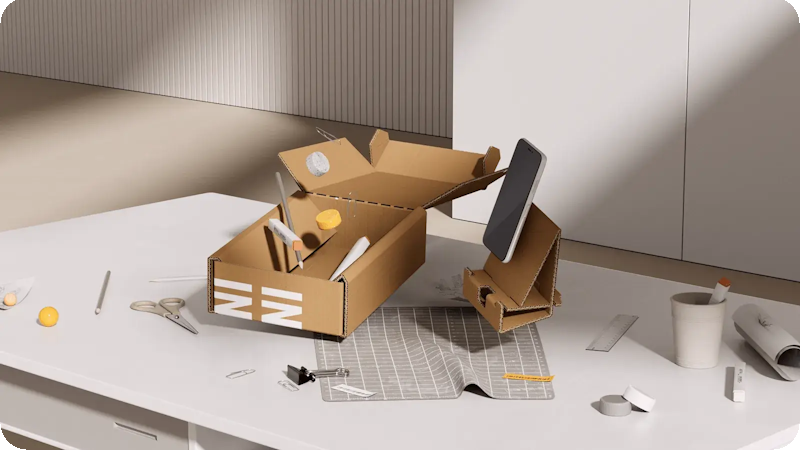
Reusable Packaging
The cardboard box PA32QCV is shipped in can be cut into a smaller box to pack small items on your desk, such as cables, adapters, or other accessories. It also includes a foldable phone stand. This is a great way to reduce waste, save money on packaging materials, and create added benefits.
Energy-Efficient Features
ProArt Display PA32QCV has a power-saving Eco-mode and it achieves zero-watt power consumption when it is turned off.* EPEAT registered where applicable. EPEAT registration varies by country.


Adobe Creative Cloud All Apps
The Creative Cloud All Apps is a subscription plan that includes more than 20 creative apps, including Photoshop, Premiere Pro, Illustrator, InDesign, Audition, XD, and After Effects. You also get Adobe Fonts, thousands of free assets in Adobe Stock, templates, 100 GB of cloud storage, and more.Adobe Acrobat Standard DC
Acrobat Standard DC includes everything in Acrobat Standard, plus advanced PDF features and e-signature features, such as turning scanned documents into editable, searchable PDFs, comparing PDFs to review differences and so on.Adobe Substance 3D
Adobe Substance 3D applications give users access to a collection of tools and content to create, capture, and texture 3D assets, as well as compose and render 3D scenes.- Products certified by the Federal Communications Commission and Industry Canada will be distributed in the United States and Canada. Please visit the ASUS USA and ASUS Canada websites for information about locally available products.
- All specifications are subject to change without notice. Please check with your supplier for exact offers. Products may not be available in all markets.
- Specifications and features vary by model, and all images are illustrative. Please refer to specification pages for full details.
- PCB color and bundled software versions are subject to change without notice.
- Brand and product names mentioned are trademarks of their respective companies.
- The terms HDMI, HDMI High-Definition Multimedia Interface, HDMI Trade dress and the HDMI Logos are trademarks or registered trademarks of HDMI Licensing Administrator, Inc.
- Product Security Update Support Periods : 3 years (until 31/12/2026)
- The actual transfer speed of USB 3.0, 3.1, 3.2, and/or Type-C will vary depending on many factors including the processing speed of the host device, file attributes and other factors related to system configuration and your operating environment.
- Please avoid hanging headphones or attaching any items that don't belong to the monitor itself to prevent reducing the monitor’s lifespan.
About ASUS
ASUS is a multinational company best known for their motherboards, PCs, monitors, graphics cards and routers. Along with an expanding range of superior gaming, content-creation and AIoT solutions, ASUS leads the industry through cutting-edge design and innovations made to create the most ubiquitous, intelligent, heartfelt and joyful smart life for everyone. With a global workforce that includes more than 5,000 R&D professionals, ASUS is driven to become the world’s most admired innovative leading technology enterprise.
About ROG
Republic of Gamers (ROG) is an ASUS sub-brand dedicated to creating the world’s best gaming hardware and software. Formed in 2006, ROG offers a complete line of innovative products known for performance and quality, including motherboards, graphics cards, laptops, desktops, monitors, audio equipment, routers and peripherals. ROG participates in and sponsors major international gaming events. ROG gear has been used to set hundreds of overclocking records and it continues to be the preferred choice of gamers and enthusiasts around the world.
© 2022 ASUS Computer International. All Rights Reserved. ASUS is a registered trademark of ASUSTeK Computer. All specifications and terms are subject to change without notice. Please check with your supplier for exact offers on selected models. Products may not be available in all markets. Product may not be exactly as shown in photos. Actual colors may differ from their appearance due to variation of monitor restrictions and color processing. All trademarks are registered to their respective companies. ASUS shall not be liable for technical or editorial errors or omissions contained herein.
ASUS is a multinational company best known for their motherboards, PCs, monitors, graphics cards and routers. Along with an expanding range of superior gaming, content-creation and AIoT solutions, ASUS leads the industry through cutting-edge design and innovations made to create the most ubiquitous, intelligent, heartfelt and joyful smart life for everyone. With a global workforce that includes more than 5,000 R&D professionals, ASUS is driven to become the world’s most admired innovative leading technology enterprise.
About ROG
Republic of Gamers (ROG) is an ASUS sub-brand dedicated to creating the world’s best gaming hardware and software. Formed in 2006, ROG offers a complete line of innovative products known for performance and quality, including motherboards, graphics cards, laptops, desktops, monitors, audio equipment, routers and peripherals. ROG participates in and sponsors major international gaming events. ROG gear has been used to set hundreds of overclocking records and it continues to be the preferred choice of gamers and enthusiasts around the world.
© 2022 ASUS Computer International. All Rights Reserved. ASUS is a registered trademark of ASUSTeK Computer. All specifications and terms are subject to change without notice. Please check with your supplier for exact offers on selected models. Products may not be available in all markets. Product may not be exactly as shown in photos. Actual colors may differ from their appearance due to variation of monitor restrictions and color processing. All trademarks are registered to their respective companies. ASUS shall not be liable for technical or editorial errors or omissions contained herein.
Se Asus seneste FAQ - løser 90 % af typiske problemer
http://www.asus.com/dk/support/
Teknisk support: 38 32 29 43
Bemærk: Enkelte produkter forekommer med tysk manual i stedet for Dansk.
https://rma.asus-europe.eu/?country=dk
I tilfælde af problemer kan Asus kontaktes på 38 32 29 43
ASUS tilbyder 7 dages DOA, Hent DOA formular her
https://drive.google.com/file/d/1lJ00yTXfFLrQrG6m9PHZ5HS2C55gdpGm/view?usp=sharing
Send til [email protected]
ASUS skal kontaktes direkte for forespørgseler til reklamation.
Vurderes problemet godkendt til en reklamation, resultater dette i et sags nummer der giver adgang til ASUS pickup skema for reparation og ombytninger.
Du udfylder den relaterende produktside formularer (det er vigtigt, at du vælger hvorvidt det er en Notebook, en Eee eller en anden vare).
Formularen afsluttes og kunden modtagere et ASUS RMA nummer og mere information omkring afhentnings processen.
ASUS sender et fragtlabel, til indsendelse af produktet.
http://www.asus.com/dk/support/
Teknisk support: 38 32 29 43
Bemærk: Enkelte produkter forekommer med tysk manual i stedet for Dansk.
RMA
For håndtering og oprettelse af Asus garanti benythttps://rma.asus-europe.eu/?country=dk
I tilfælde af problemer kan Asus kontaktes på 38 32 29 43
ASUS tilbyder 7 dages DOA, Hent DOA formular her
https://drive.google.com/file/d/1lJ00yTXfFLrQrG6m9PHZ5HS2C55gdpGm/view?usp=sharing
Send til [email protected]
ASUS skal kontaktes direkte for forespørgseler til reklamation.
Vurderes problemet godkendt til en reklamation, resultater dette i et sags nummer der giver adgang til ASUS pickup skema for reparation og ombytninger.
Du udfylder den relaterende produktside formularer (det er vigtigt, at du vælger hvorvidt det er en Notebook, en Eee eller en anden vare).
Formularen afsluttes og kunden modtagere et ASUS RMA nummer og mere information omkring afhentnings processen.
ASUS sender et fragtlabel, til indsendelse af produktet.