EN   DA   SV
To gain full access to our webshop, find our entire product range and see our prices, you need to be logged in.
Log in to your account here or sign up as a customer here.
We don't have products matching your search criteria in our local stock, so we included results from our external stocks.
Show all options
Show all options
Show all options
Show all options
Show all options

ADATA Legend SSD 710 256GB M.2 PCI Express 3.0 x4 (NVMe)

WD Green SSD SN350 1TB M.2 PCI Express 4.0 (NVMe)

  • Product no 1004244411
  • Model WDS100T2G0C
  • Brand SanDisk
  • EAN 0718037880082

SILICON POWER SSD M.2 2280 A55 256GB M.2 SATA-600

  • Product no 994363869
  • Model SP256GBSS3A55M28
  • Brand Silicon Power
  • EAN 4713436121749

WD Green SSD SN350 500GB M.2 PCI Express 3.0 x4 (NVMe)

  • Product no 1003046810
  • Model WDS500G2G0C
  • Brand SanDisk
  • EAN 0718037880099

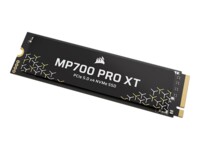
CORSAIR SSD MP700 PRO XT 1TB M.2 PCI Express 5.0 x4 (NVMe)

  • Product no 1003754876
  • Model CSSD-F10GBMP700PXNH
  • Brand Corsair
  • EAN 0840440416654

Toshiba N300 NAS Harddisk MN10ADA800S 8TB 3.5" Serial ATA-600 7200rpm

  • Product no 1002925275
  • Model MN10ADA800S
  • Brand Toshiba
  • EAN 4260557512944

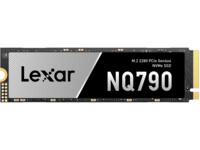
Lexar NQ790 Solid state-drev 4TB M.2 PCI Express 4.0 x4 (NVMe)

  • Product no 1002351479
  • Model LNQ790X004T-RNNNG
  • Brand Lexar
  • EAN 843367132232

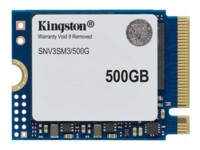
Kingston SSD NV3 500GB M.2 PCI Express 4.0 x4 (NVMe)

Lexar NQ790 Solid state-drev 2TB M.2 PCI Express 4.0 x4 (NVMe)

  • Product no 1002326999
  • Model LNQ790X002T-RNNNG
  • Brand Lexar
  • EAN 0843367132225

PNY SSD CS900 2TB 2.5" SATA-600

Samsung PM9D3a SSD MZWL6960HFJA 960GB 2.5" PCI Express 5.0 x4 (NVMe)

  • Product no 1002672168
  • Model MZWL6960HFJA-00AW7
  • Brand Samsung
  • EAN 4262543010823

Samsung 9100 Pro SSD MZ-VAP8T0BW 8TB M.2 PCI Express 5.0 x4 (NVMe)

  • Product no 1003181072
  • Model MZ-VAP8T0BW
  • Brand Samsung
  • EAN 8806095811680

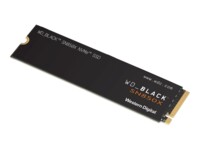
WD_BLACK SN850X NVMe SSD SSD WDBB9G0010BNC 1TB M.2 PCI Express 4.0 (NVMe)

  • Product no 1000652158
  • Model WDBB9G0010BNC-WRSN
  • Brand SanDisk
  • EAN 0619659193430

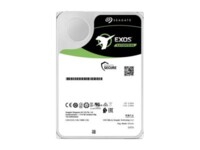
Seagate Exos X18 Harddisk ST18000NM000J 18TB SATA-600 7200rpm

  • Product no 996205281
  • Model ST18000NM000J
  • Brand Seagate
  • EAN 8719706020442

Patriot SSD Viper VP4300 Lite 2TB M.2 PCI Express 4.0 x4 (NVMe)

  • Product no 1001354370
  • Model VP4300L2TBM28H
  • Brand Patriot Memory
  • EAN 4711378425376

Kingston SSD DC600M 7.68TB 2.5" Serial ATA-300 Serial ATA-600

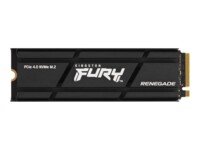
Kingston FURY SSD Renegade 4TB M.2 PCI Express 4.0 x4 (NVMe)

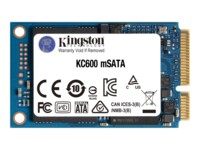
Kingston SSD KC600 256GB mSATA SATA-600

WD Purple Pro Harddisk WD221PURP 22TB 3.5" SATA-600 7200rpm

Toshiba S300 Pro Harddisk MD10ADA800V 8TB 3.5" Serial ATA-600 7200rpm

  • Product no 1002479991
  • Model MD10ADA800V
  • Brand Toshiba
  • EAN 4260557512739

WD Red Plus Harddisk WD120EFGX 12TB 3.5" Serial ATA-600 7200rpm

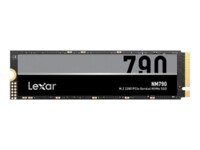
Lexar NM790 SSD 1TB M.2 PCI Express 4.0 x4 (NVMe)

  • Product no 1001149619
  • Model LNM790X001T-RNNNG
  • Brand Lexar
  • EAN 0843367130283

Western Digital Ultrastar DC HA340 Harddisk 10TB 3.5" SATA 7200rpm

  • Product no 1003835347
  • Model WUS721210BLE6L4
  • Brand Western Digital
  • EAN 0829686009301

Internal hard drives

Internal hard drives are used for capacity-oriented storage in desktop PCs, workstations, servers, and storage systems where cost per GB and predictable operation are key parameters. The category covers internal HDDs, hard disk drives, and mechanical drives for both upgrades and new builds, as well as solutions where large data volumes need to be archived or handled locally.

Benefits for resellers

Internal hard drives make it possible to work with fixed capacity tiers and well-known form factors for standard configurations, service replacements, and project deliveries. The assortment can be composed to include models for general PC storage as well as drives targeted at scenarios requiring high uptime, sustained read/write workloads, or storage in NAS environments.

Key considerations in this category

  • Capacity and use case: Select capacity based on data volume, retention needs, and whether the drive is mainly for archive, backup, or active data workloads.
  • Form factor: 3.5" is typically used in desktops and storage systems, while 2.5" is often found in compact systems and certain enterprise setups.
  • Interface: SATA is common for standard platforms, while SAS can be relevant in server and storage environments with specific controller requirements.
  • Performance profile: RPM, cache, and workload ratings affect responsiveness and stability under sustained loads.
  • Compatibility: Check motherboard/controller support, chassis bay space, and cooling; mismatches can lead to noise, heat, or reduced lifespan.
  • Complementary storage: For faster system storage, an SSD can be combined with HDDs for data, archive, and backup.

Related subcategories

Internal HDD
Mechanical hard drives for capacity-focused storage in PCs, workstations, and storage tasks.

Internal SSD
Storage with a focus on higher speed and lower latency, often used as system and application drives.

Components
Related parts for complete builds and replacements where storage must match the rest of the hardware.

Computer cases
Case selection affects drive mounting, airflow, and space for 2.5"/3.5" drives.

Fans and coolers
Proper cooling can improve stability and lifespan, especially in systems with multiple drives or high duty cycles.

Brands in this category

Frequently asked questions

When do internal hard drives make more sense than SSDs?

When capacity and cost per GB matter more than maximum speed, such as for archives, backups, and large data sets.

Which form factor should be chosen: 2.5" or 3.5"?

3.5" is typically standard for desktops and storage systems, while 2.5" is often used in compact systems and some enterprise platforms.

What should be considered regarding the interface?

SATA fits most standard platforms, while SAS requires a compatible controller and is more common in server and storage environments.

Can HDDs and SSDs be combined in the same system?

Yes, an SSD can be used for OS and applications while HDDs handle data, archives, and backups.

How does cooling affect operation and lifespan?

Stable temperatures reduce the risk of failures under long-term load, especially in multi-drive systems.