EN   DA   SV
To gain full access to our webshop, find our entire product range and see our prices, you need to be logged in.
Log in to your account here or sign up as a customer here.
We don't have products matching your search criteria in our local stock, so we included results from our external stocks.
Show all options
Show all options
Show all options
Show all options
Show all options

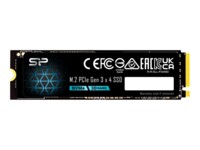
SILICON POWER Xpower SSD US75 2TB M.2 PCI Express 4.0 x4 (NVMe)

  • Product no 1003451873
  • Model SP02KGBP44US75S5
  • Brand Silicon Power
  • EAN 4713436164067

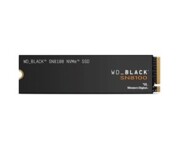
WD Black SN8100 4TB SSD M.2 2280

  • Product no 1003476568
  • Model WDS400T1X0M
  • Brand SanDisk
  • EAN 0619659220891

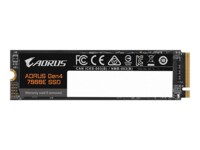
AORUS Gen4 SSD 7000E 2TB M.2 PCI Express 4.0 x4 (NVMe)

SILICON POWER Xpower SSD XS75 2TB M.2 PCI Express 4.0 x4 (NVMe)

  • Product no 1003451874
  • Model SP02KGBP44XS75S5
  • Brand Silicon Power
  • EAN 4713436164098

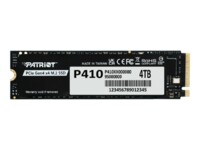
Patriot SSD P410 4TB M.2 PCI Express 4.0 x4 (NVMe)

  • Product no 1003550045
  • Model P410P4TBM28H
  • Brand Patriot Memory
  • EAN 4711378431070

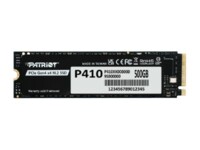
Patriot SSD P410 500GB M.2 PCI Express 4.0 x4 (NVMe)

  • Product no 1003550046
  • Model P410P500GM28H
  • Brand Patriot Memory
  • EAN 4711378431049

WD Red SA500 SSD WDS100T1R0B 1TB M.2 Serial ATA-600

  • Product no 1003046775
  • Model WDS100T1R0B
  • Brand SanDisk
  • EAN 0718037872360

HPE P49749-001 3,2TB 2.5" Serial Attached SCSI 3

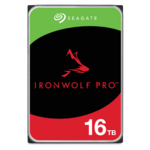
Seagate IronWolf Pro ST16000NT001 Harddisk 16TB 3.5" SATA-600 7200rpm

  • Product no 1003963175
  • Model IRONWOLF PRO 16TB SA
  • Brand Seagate
  • EAN 8719706432290

Crucial SSD T500 1TB M.2 PCI Express 4.0 (NVMe)

  • Product no 1001685500
  • Model CT1000T500SSD5
  • Brand Crucial
  • EAN 0649528940018

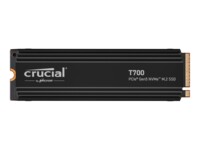
Crucial SSD T700 1TB M.2 PCI Express 5.0 (NVMe)

  • Product no 1001155671
  • Model CT1000T700SSD5
  • Brand Crucial
  • EAN 0649528936714

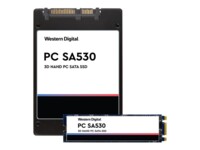
WD PC SA530 SSD 1TB 2.5" Serial ATA-600

  • Product no 998607201
  • Model SDASB8Y-1T00
  • Brand SanDisk
  • EAN 7640143874361

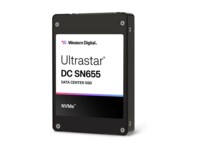
WD Ultrastar DC SN655 SSD WUS5EA138ESP7E4 3.84TB 2.5" U.3 PCIe 4.0 (NVMe)

  • Product no 1003046772
  • Model 0TS2467
  • Brand SanDisk
  • EAN 0619659203153

SILICON POWER SSD P34A60 128GB M.2 PCI Express 3.0 x4 (NVMe)

  • Product no 1004198781
  • Model SP128GBP34A60M28
  • Brand Silicon Power
  • EAN 4713436142461

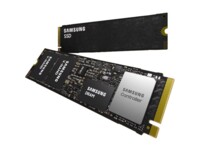
Samsung PM9E1 512GB M.2 PCI Express 5.0 (NVMe)

  • Product no 1003542639
  • Model MZVLC512HFJD-00B07
  • Brand Samsung
  • EAN 4262543010724

Lenovo 4XB1S30116 4TB M.2 PCI Express 5.0 (NVMe)

  • Product no 1003430290
  • Model 4XB1S30116
  • Brand Lenovo
  • EAN 0195892127987

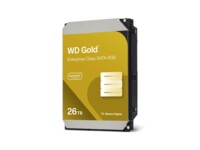
WD Gold Harddisk WD261KRYZ 26TB 3.5" Serial ATA-600 7200rpm

MSI SPATIUM SSD M470 PRO 1TB M.2 PCI Express 4.0 x4 (NVMe)

  • Product no 1003041424
  • Model S78-440L0J0-P83
  • Brand MSI
  • EAN 4711377279963

Patriot SSD P400 V4 4TB M.2 PCI Express 4.0 x4 (NVMe)

  • Product no 1002938665
  • Model P400VP4TBM28H
  • Brand Patriot Memory
  • EAN 4711378421675

Patriot SSD P320 512GB M.2 PCI Express 3.0 x4 (NVMe)

  • Product no 1002253027
  • Model P320P512GM28
  • Brand Patriot Memory
  • EAN 4711378427615

Seagate SkyHawk AI Harddisk ST12000VE003 12TB 3.5" Serial ATA-600

  • Product no 1001813793
  • Model ST12000VE003
  • Brand Seagate
  • EAN 8719706436908

HPE Solid state-drev 480GB M.2 PCI Express 4.0 (NVMe)

Internal hard drives

Internal hard drives are used for capacity-oriented storage in desktop PCs, workstations, servers, and storage systems where cost per GB and predictable operation are key parameters. The category covers internal HDDs, hard disk drives, and mechanical drives for both upgrades and new builds, as well as solutions where large data volumes need to be archived or handled locally.

Benefits for resellers

Internal hard drives make it possible to work with fixed capacity tiers and well-known form factors for standard configurations, service replacements, and project deliveries. The assortment can be composed to include models for general PC storage as well as drives targeted at scenarios requiring high uptime, sustained read/write workloads, or storage in NAS environments.

Key considerations in this category

  • Capacity and use case: Select capacity based on data volume, retention needs, and whether the drive is mainly for archive, backup, or active data workloads.
  • Form factor: 3.5" is typically used in desktops and storage systems, while 2.5" is often found in compact systems and certain enterprise setups.
  • Interface: SATA is common for standard platforms, while SAS can be relevant in server and storage environments with specific controller requirements.
  • Performance profile: RPM, cache, and workload ratings affect responsiveness and stability under sustained loads.
  • Compatibility: Check motherboard/controller support, chassis bay space, and cooling; mismatches can lead to noise, heat, or reduced lifespan.
  • Complementary storage: For faster system storage, an SSD can be combined with HDDs for data, archive, and backup.

Related subcategories

Internal HDD
Mechanical hard drives for capacity-focused storage in PCs, workstations, and storage tasks.

Internal SSD
Storage with a focus on higher speed and lower latency, often used as system and application drives.

Components
Related parts for complete builds and replacements where storage must match the rest of the hardware.

Computer cases
Case selection affects drive mounting, airflow, and space for 2.5"/3.5" drives.

Fans and coolers
Proper cooling can improve stability and lifespan, especially in systems with multiple drives or high duty cycles.

Brands in this category

Frequently asked questions

When do internal hard drives make more sense than SSDs?

When capacity and cost per GB matter more than maximum speed, such as for archives, backups, and large data sets.

Which form factor should be chosen: 2.5" or 3.5"?

3.5" is typically standard for desktops and storage systems, while 2.5" is often used in compact systems and some enterprise platforms.

What should be considered regarding the interface?

SATA fits most standard platforms, while SAS requires a compatible controller and is more common in server and storage environments.

Can HDDs and SSDs be combined in the same system?

Yes, an SSD can be used for OS and applications while HDDs handle data, archives, and backups.

How does cooling affect operation and lifespan?

Stable temperatures reduce the risk of failures under long-term load, especially in multi-drive systems.