EN   DA   SV
To gain full access to our webshop, find our entire product range and see our prices, you need to be logged in.
Log in to your account here or sign up as a customer here.
We don't have products matching your search criteria in our local stock, so we included results from our external stocks.

Back to RAM

  • Desktop Memory [1260]
Show all options
Show all options
Show all options
Show all options

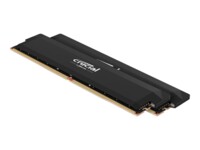
Crucial DDR5 SDRAM 32GB kit 6400MHz CL38 Ikke-ECC DIMM 288-PIN

  • Product no 1002544075
  • Model CP2K16G64C38U5B
  • Brand Crucial
  • EAN 0649528944511

Team T-Force DDR4 16GB kit 3600MHz CL18 Ikke-ECC

  • Product no 996089243
  • Model TLZGD416G3600HC18JDC
  • Brand Team Group
  • EAN 0765441652118

Crucial DDR4 32GB kit 3200MHz CL22 Ikke-ECC

  • Product no 996076919
  • Model CT2K16G4DFRA32A
  • Brand Crucial
  • EAN 0649528903631

G.Skill NT Series DDR3 16GB kit 1600MHz CL11 Ikke-ECC

  • Product no 987660505
  • Model F3-1600C11D-16GNT
  • Brand G.Skill
  • EAN 4711148599566

CORSAIR Vengeance DDR5 SDRAM 48GB kit 5600MHz CL40 DIMM 288-PIN

  • Product no 1001051080
  • Model CMH48GX5M2B5600C40
  • Brand Corsair
  • EAN 0840006664987

G.Skill Ripjaws S5 DDR5 64GB kit 6000MHz CL30 Ikke-ECC

  • Product no 1000618373
  • Model F5-6000J3040G32GX2-R
  • Brand G.Skill
  • EAN 4713294232168

G.Skill Ripjaws V DDR4 32GB kit 3200MHz CL16 Ikke-ECC

  • Product no 989943299
  • Model F4-3200C16D-32GVK
  • Brand G.Skill
  • EAN 4719692007018

Patriot DDR4 64GB kit 3200MHz CL16 Ikke-ECC

  • Product no 995983950
  • Model PVS464G320C6K
  • Brand Patriot Memory
  • EAN 0814914026939

G.Skill Flare X series DDR4 32GB kit 3200MHz CL16 Ikke-ECC

  • Product no 995318824
  • Model F4-3200C16D-32GFX
  • Brand G.Skill
  • EAN 4713294223739

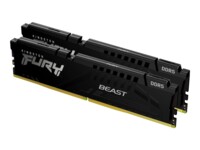
Kingston FURY Beast DDR5 SDRAM 64GB kit 6000MHz CL30 On-die ECC DIMM 288-PIN

Desktop RAM

Desktop RAM is a core component in stationary PC systems, where performance, speed and compatibility directly affect overall system efficiency. Memory capacity and quality play a crucial role in system responsiveness, multitasking and the ability to run demanding applications. This category covers office desktops, workstations and performance-oriented PCs where the correct choice of RAM technology and specifications is essential.

Advantages for Resellers

A focused assortment of desktop memory enables precise matching of platform requirements without unnecessary complexity. Desktop RAM is frequently used for upgrades and replacements, making it a high-demand component for both maintenance and performance improvements. The category supports standard configurations, project deliveries and ongoing system optimisation where motherboard compatibility and stability are key considerations.

Key Considerations in This Category

  • Technology – selection between DDR5 SDRAM, DDR4 SDRAM and DDR3 SDRAM depends on platform generation, chipset support and system lifecycle.
  • Data integrity – differences between Non-ECC, On-die ECC and ECC impact stability levels and suitability for specific workloads.
  • Memory speed – supported frequencies such as 2400 MHz, 2666 MHz, 2800 MHz and 3000 MHz influence overall system performance.
  • Compatibility – correct module type, capacity and support for motherboard specifications are essential.
  • Performance and operation – faster and more stable RAM improves multitasking and reduces system bottlenecks.

Category Scope

Desktop RAM
Memory modules designed specifically for desktop PCs, aligned with different platforms, generations and performance requirements.

Brands in This Category

Frequently Asked Questions

What is the difference between DDR5, DDR4 and DDR3?

The differences relate to generation, speed and platform compatibility; newer systems typically support DDR5 or DDR4.

When is ECC memory required?

ECC is primarily used in systems where data integrity and operational stability are critical.

How does memory speed affect system performance?

Higher memory frequencies allow faster data access and improved multitasking.

Is desktop RAM universally compatible?

No, memory must match the motherboard’s supported technology, capacity and frequency.

When should desktop RAM be upgraded?

When system responsiveness decreases, multitasking increases or other components are upgraded.