Components
PC components are the foundation of any configuration – from basic office PCs to demanding workstations, gaming rigs and compact servers. A well-chosen mix of motherboards, graphics cards, enclosures and reliable power supplies (PSU) ensures stable operation, scalability and predictable performance. This category gathers core hardware components, making it easier to standardise builds, optimise inventory and adapt configurations to different customer segments.
Resellers typically need both classic hard drives in the form of HDD and SSD storage options, flexible RAM upgrades and modern CPU platforms. With a broad range of hardware components and upgrade components, systems can be built and upgraded to match standardised office environments as well as more specialised setups.
Benefits for resellers
A consolidated portfolio of PC components, upgrade parts and server components makes it easier to plan assortments, campaigns and projects. When motherboards, enclosures, storage devices and cooling solutions can be combined across well-known series and brands, ordering errors and time spent on preparation are reduced.
For volume- and retail-focused resellers, it is crucial to repeat the same proven configurations – with consistent RAM modules, compatible motherboards and stable power supplies – instead of changing platform from order to order. Smaller system builders and specialised webshops gain flexibility to offer niche configurations with specific sound cards, controller cards or additional cooling for demanding environments.
Key considerations in the category
- Performance requirements for CPU, GPU/graphics card and RAM relative to the end user’s workloads.
- Compatibility between motherboard, chassis, cooling and power supply (form factor, socket, physical clearance, connector standards).
- Operational stability through quality enclosures, efficient fans/coolers and properly dimensioned PSU/power supplies.
- Stock strategy for frequently moving components such as hard drives, RAM and graphics cards versus more project-specific parts.
- Options to combine internal drives with external solutions, NAS/UPS and related accessories for a complete installation.
Related subcategories
Controller cards
Interface and controller cards for expanding I/O, adding extra ports, RAID functionality and connecting more storage devices in the same system.
Optical drives
DVD and Blu-ray drives for environments where physical media are still used for software, backup or distribution of data.
Sound cards
Dedicated audio solutions for workstations, broadcast setups and other tasks where onboard audio is not sufficient.
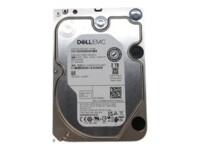
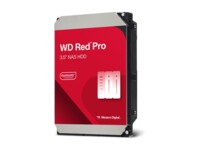
Internal hard drives
Classic and high-performance internal drives, both HDD and SSD, for desktops, workstations and smaller server solutions.
Fans and coolers
Air and, where relevant, liquid cooling solutions that keep temperatures under control across chassis, CPUs and graphics cards.
Power supplies
Different wattage levels and efficiency classes (80 PLUS) tailored to everything from basic office PCs to powerful GPU-based systems.
Chassis
Enclosures in multiple form factors and layouts, optimised for airflow, cable management and quick assembly in repeat builds.
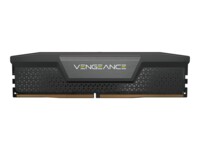
RAM
Memory modules for desktop, workstation and selected server usage, with focus on capacity, speed and stability.
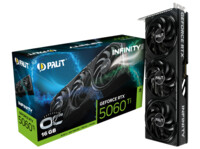
Graphics cards
GPU solutions from entry level to high-end, for office use, multi-monitor environments, CAD, 3D and gaming-oriented builds.
Motherboards
Platforms for different CPU socket types, form factors and feature sets, forming the basis for both standard and specialised configurations.
Processors
Modern CPU series for desktop and workstation use, where core count, TDP and platform life cycle are key parameters.
Brands in this category
Frequently asked questions
Which components are typically most important to keep in stock?
Standard chassis, power supplies, motherboards, RAM, hard drives and selected graphics cards are often prioritised, as they are used in most builds and upgrades.
How do you ensure compatibility between motherboard, CPU and RAM?
Always check socket type, chipset, supported memory standard and any BIOS requirements in the manufacturer specifications before combining components in a configuration.
When does it make sense to choose dedicated cooling instead of stock coolers?
For higher TDP CPUs, multiple GPUs, compact chassis or noise-sensitive environments, dedicated fans and coolers are often required for stable and quiet operation.
What are the key criteria when selecting a power supply?
Total power requirement, 80 PLUS efficiency, number and type of PCIe/CPU connectors and the internal build quality of the PSU are typically the most important factors.
How should component choices be planned for different customer segments?
Office setups focus on stability and low noise, while graphics-intensive workflows and gaming require stronger graphics cards, more RAM and better cooling per system.