EN   DA   SV
To gain full access to our webshop, find our entire product range and see our prices, you need to be logged in.
Log in to your account here or sign up as a customer here.
Show all options
Show all options
Show all options
Show all options

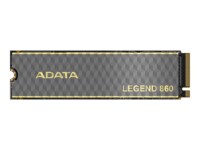
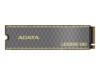
ADATA Legend SSD 860 500GB M.2 PCI Express 4.0 x4 (NVMe)

ADATA Legend SSD 960 MAX 1TB M.2 PCI Express 4.0 x4 (NVMe)

ADATA SC735 Ekstern SSD 1TB USB 3.2 Gen 2 Blå

  • Product no 1003574170
  • Model SC735-1000G-CCBK/BU
  • Brand ADATA Technology
  • EAN 4711658153487

ADATA SC735 Ekstern SSD 1TB USB 3.2 Gen 2 Grå

  • Product no 1003624834
  • Model SC735-1000G-CCBK/GY
  • Brand ADATA Technology
  • EAN 4711658153463

ADATA SSD SC740 2TB USB 3.2 Gen 2

ADATA SSD SD620 2TB USB 3.2 Gen 2

ADATA Ultimate SSD SU650 256GB 2.5" SATA-600

ADATA Ultimate SSD SU650 512GB 2.5" SATA-600

ADATA Ultimate SSD SU800 1TB 2.5" SATA-600

ADATA XPG Spectrix S65G 500GB M.2 PCI Express 4.0 x4 (NVMe)

  • Product no 1003674960
  • Model SSPECTRIXS65G-500G-C
  • Brand ADATA Technology
  • EAN 4711658152541

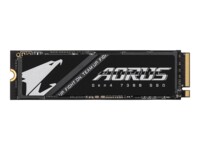
AORUS Gen4 SSD 7300 1TB M.2 PCI Express 4.0 x4 (NVMe)

ASUS TUF Gaming SSD AS2000 PLUS 2TB M.2 USB 3.2 Gen 2x2

CORSAIR SSD EX400U 2TB USB4

  • Product no 1002921757
  • Model CSSD-EX400U2TB
  • Brand Corsair
  • EAN 0840440488545

CORSAIR SSD MP600 PRO NH 1TB M.2 PCI Express 4.0 x4 (NVMe)

  • Product no 1000806399
  • Model CSSD-F1000GBMP600PNH
  • Brand Corsair
  • EAN 0840006697206

CORSAIR Solid state-drev MP600 Micro 1TB M.2 PCI Express 4.0 x4 (NVMe)

  • Product no 1003329306
  • Model CSSD-F1000GBMP600MCR
  • Brand Corsair
  • EAN 0840440492153

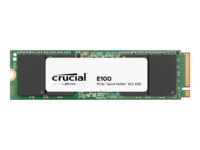
Crucial E100 Solid state-drev 2TB M.2 PCI Express 4.0 x4 (NVMe)

  • Product no 1003478821
  • Model CT2000E100SSD8
  • Brand Crucial
  • EAN 0649528946164

Crucial P310 Solid state-drev 4TB M.2 2280 PCI Express 4.0 x4 (NVMe)

  • Product no 1003363439
  • Model CT4000P310SSD8
  • Brand Crucial
  • EAN 0649528942258

Crucial P510 SSD Uden Køleprofil 2TB M.2 PCI Express 5.0 (NVMe)

  • Product no 1003292691
  • Model CT2000P510SSD8
  • Brand Crucial
  • EAN 0649528946072

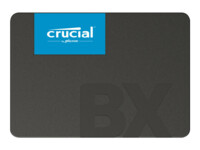
Crucial SSD BX500 240GB 2.5" SATA-600

  • Product no 993516154
  • Model CT240BX500SSD1
  • Brand Crucial
  • EAN 0649528787323

Crucial SSD BX500 2TB 2.5" SATA-600

  • Product no 995534271
  • Model CT2000BX500SSD1
  • Brand Crucial
  • EAN 0649528821584

Crucial SSD BX500 4TB 2.5" Serial ATA-600

  • Product no 1001981182
  • Model CT4000BX500SSD1
  • Brand Crucial
  • EAN 0649528939593

Crucial SSD E100 1TB M.2 PCI Express 4.0 x4 (NVMe)

  • Product no 1002921807
  • Model CT1000E100SSD8
  • Brand Crucial
  • EAN 0649528946157

Crucial SSD E100 480GB M.2 PCI Express 4.0 x4 (NVMe)

  • Product no 1002921808
  • Model CT480E100SSD8
  • Brand Crucial
  • EAN 0649528946133

Crucial SSD P310 1TB M.2 PCI Express 4.0 x4 (NVMe)

  • Product no 1002314704
  • Model CT1000P310SSD2
  • Brand Crucial
  • EAN 0649528942272

Internal SSDs

Internal SSDs are used as primary or secondary storage in desktops, workstations, and laptops where performance, stability, and compatibility are critical. The category includes solid state drives for both upgrades and new installations, delivering fast data access, low latency, and reliable operation.

Benefits for resellers

Internal SSDs are well suited for standardized configurations as well as targeted upgrades. A wide range of capacities, interfaces, and form factors makes it possible to support both legacy platforms and modern systems using consistent specifications, simplifying inventory management and compatibility decisions.

Key considerations in this category

  • Capacity: SSDs are available in multiple sizes – from smaller capacities for operating systems and basic installations to larger capacities for applications, databases, and extensive data storage.
  • Interface: The choice of interface directly affects performance and compatibility. SATA is commonly used in existing or older systems, while PCIe/NVMe delivers significantly higher speeds in modern hardware platforms.
  • Form factor: Internal SSDs are available in several form factors, including 2.5" and M.2 in various lengths. The form factor must match the motherboard, chassis, and thermal constraints.
  • Performance: Sequential read/write speeds and IOPS should be aligned with the workload – from standard office use to more demanding environments.
  • Compatibility: BIOS/UEFI support and PCIe generation are important factors when upgrading existing systems.

Brands in this category

Frequently asked questions

How do you choose the right capacity?

Capacity should be selected based on data volume, application requirements, and expected future growth.

Which interface is most relevant?

SATA is typically used in older systems, while PCIe/NVMe is preferred in newer platforms with higher performance requirements.

What does form factor mean for internal SSDs?

The form factor determines physical compatibility with the motherboard and chassis and must match system specifications.

Can internal SSDs be used for upgrades?

Yes, internal SSDs are commonly used for upgrades, provided the interface and form factor are supported.