EN   DA   SV
To gain full access to our webshop, find our entire product range and see our prices, you need to be logged in.
Log in to your account here or sign up as a customer here.
We don't have products matching your search criteria in our local stock, so we included results from our external stocks.
Show all options
Show all options
Show all options
Show all options
Show all options

Solidigm D5 Series SSD D5-P5430 15.36TB 2.5" U.2 PCIe 4.0 x4 (NVMe)

  • Product no 1001159366
  • Model SBFPF2BU153T001
  • Brand Intel
  • EAN 0840307301598

Verbatim Pocket SSD 1TB M.2 USB 3.2 Gen 2

  • Product no 1003576012
  • Model 32322
  • Brand Verbatim
  • EAN 0023942323228

Intel SSD Solid-State Drive D3-S4610 Series 1.92TB 2.5" SATA-600

  • Product no 993372462
  • Model SSDSC2KG019T801
  • Brand Intel
  • EAN 0735858362139

Solidigm P41 Plus Series SSD 2TB M.2 PCI Express 4.0 x4 (NVMe)

  • Product no 1000739893
  • Model SSDPFKNU020TZX1
  • Brand Intel
  • EAN 1210001700055

EMTEC SSD X205 Mini 256GB USB 3.2 Gen 2

Intenso SSD High 960GB 2.5" SATA-600

  • Product no 990353635
  • Model 3813460
  • Brand Intenso
  • EAN 4034303023530

Western Digital Black WDBELG0020BBK-WRSN 2TB M.2 PCI Express 4.0 (NVMe)

  • Product no 1003088224
  • Model WDBELG0020BBK-WRSN
  • Brand Western Digital
  • EAN 0619659215583

KIOXIA PM7-V Series SSD KPM7VVUG6T40 6400GB 2.5" Serial Attached SCSI 4

  • Product no 1001695751
  • Model KPM7VVUG6T40
  • Brand KIOXIA
  • EAN 8592978517892

HPE Read Intensive SSD 960GB 2.5" SATA-600

Crucial SSD P310 500GB M.2 PCI Express 4.0 x4 (NVMe)

  • Product no 1002514335
  • Model CT500P310SSD8-T
  • Brand Crucial
  • EAN 0649528942289

Kingston Data Center SSD DC2000B 960GB M.2 PCI Express 4.0 x4 (NVMe)

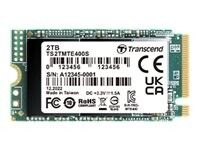
Transcend SSD MTE400S 1TB M.2 PCI Express 3.0 x4 (NVMe)

GOODRAM ODA3

PNY SSD CS900 2TB 2.5" SATA-600

iStorage diskAshur² SSD 1TB USB 3.1

  • Product no 994816265
  • Model IS-DA2-256-SSD-1000-
  • Brand iStorage
  • EAN 5060220251281

Lenovo SSD 2TB M.2 PCI Express 4.0 (NVMe)

  • Product no 1001630756
  • Model 4XB1M86956
  • Brand Lenovo
  • EAN 0195892093107

LaCie Mobile Secure SSD STKH1000800 1TB USB 3.2 Gen 2

  • Product no 1002245236
  • Model STKH1000800
  • Brand Seagate
  • EAN 3660619040797

Kingston SSD DC600ME 1.92TB 2.5" Serial ATA-300 Serial ATA-600

Patriot SSD P210 2TB 2.5" SATA-600

SanDisk Fortnite SSD 2TB USB 3.2 Gen 2

  • Product no 1003141078
  • Model SDSSDE30-2T00-G25F
  • Brand SanDisk
  • EAN 0619659216078

SanDisk SSD DC SN861 1.6TB 2.5" PCI Express 5.0 x4 (NVMe)

  • Product no 1003406279
  • Model 0TS2531
  • Brand SanDisk
  • EAN 0619659211516

SILICON POWER SSD PC60 1TB USB 3.2 Gen 2

  • Product no 1001093976
  • Model SP010TBPSDPC60CK
  • Brand Silicon Power
  • EAN 4713436149965

GOODRAM ODA3

Internal SSDs

Internal SSDs are used as primary or secondary storage in desktops, workstations, and laptops where performance, stability, and compatibility are critical. The category includes solid state drives for both upgrades and new installations, delivering fast data access, low latency, and reliable operation.

Benefits for resellers

Internal SSDs are well suited for standardized configurations as well as targeted upgrades. A wide range of capacities, interfaces, and form factors makes it possible to support both legacy platforms and modern systems using consistent specifications, simplifying inventory management and compatibility decisions.

Key considerations in this category

  • Capacity: SSDs are available in multiple sizes – from smaller capacities for operating systems and basic installations to larger capacities for applications, databases, and extensive data storage.
  • Interface: The choice of interface directly affects performance and compatibility. SATA is commonly used in existing or older systems, while PCIe/NVMe delivers significantly higher speeds in modern hardware platforms.
  • Form factor: Internal SSDs are available in several form factors, including 2.5" and M.2 in various lengths. The form factor must match the motherboard, chassis, and thermal constraints.
  • Performance: Sequential read/write speeds and IOPS should be aligned with the workload – from standard office use to more demanding environments.
  • Compatibility: BIOS/UEFI support and PCIe generation are important factors when upgrading existing systems.

Brands in this category

Frequently asked questions

How do you choose the right capacity?

Capacity should be selected based on data volume, application requirements, and expected future growth.

Which interface is most relevant?

SATA is typically used in older systems, while PCIe/NVMe is preferred in newer platforms with higher performance requirements.

What does form factor mean for internal SSDs?

The form factor determines physical compatibility with the motherboard and chassis and must match system specifications.

Can internal SSDs be used for upgrades?

Yes, internal SSDs are commonly used for upgrades, provided the interface and form factor are supported.