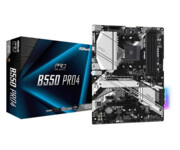
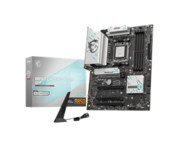
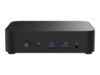
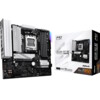
All types of motherboards with different form factors at DCS ApS
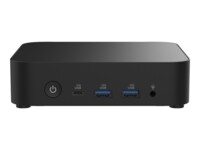
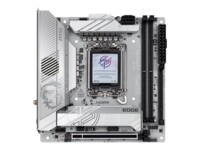
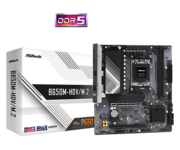
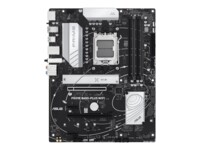
At DCS ApS, we offer motherboards from manufacturers such as ASRock, Asus, MSI, Shuttle, Apple, AORUS and Gigabyte. Our selection includes high-end motherboards with many features, as well as simpler boards for basic configurations.
Explore our wide selection on this page, or use the PC configurator to build PCs with compatible components.
Choosing the right form factor matters
The choice of form factor is one of the most important aspects when building a PC. It is therefore essential to keep this in mind when purchasing a motherboard. There are five main form factors:
ATX:
The standard size with ample room for connectors and expansion cards, suitable for gaming PCs and desktop computers that remain stationary. Find ATX motherboards here
Micro-ATX (mATX):
A smaller version of ATX with fewer expansion slots, but still roomy enough for the most essential components. Great for compact builds. Find Micro-ATX motherboards here.
Mini-ITX:
The smallest standard, ideal for ultra-compact systems that require minimal space. Find Mini-ITX motherboards here.
E-ATX (Extended ATX):
Used in larger configurations or workstations. It can also be used for file databases. Find Extended ATX motherboards here.
XL-ATX / SSI-EEB:
This form factor is used in larger setups such as servers, where future-proofing and the ability to support large and advanced configurations are required.
Factors when choosing a form factor:
Sockets
Sockets come in different sizes depending on the CPU. The socket is the physical slot required to mount a CPU on a motherboard. Depending on whether it is an AMD or Intel processor, the socket will have different names.
Intel sockets are called “LGA” and come in various sizes, which will also be marked on the motherboard. It is therefore crucial to ensure that motherboard and processor share the same socket name.
AMD sockets are called “AM” and, like Intel, come in different variants. It is equally important to ensure the CPU matches the exact socket name.
Chipsets
Chipsets are the controller on the motherboard that manages communication between various components such as RAM, CPU, Drives, GPU and others. It can be compared to a traffic hub.
Chipsets are therefore critical for determining which components can be used when building a PC, making it an important factor to consider.
Intel or AMD designs
Depending on which CPU is used in the PC, there will be different designs in the motherboard’s “sockets” and chipset. AMD designs sockets called “AM”, while Intel designs sockets called “LGA”.
Chipsets also differ, and together these designs determine how motherboards must be built to ensure compatibility.
Motherboard manufacturers are typically large OEMs such as ASUS, MSI, Gigabyte, ASrock and others, who produce motherboards designed to be compatible with either Intel or AMD.
Motherboards for Intel processors
Motherboards for Intel processors are specifically designed for Intel and are therefore relevant to sell alongside the processors. Typically, customers building their own PC will need a motherboard, which almost guarantees additional sales. It is therefore wise to stock both components.
Motherboards for AMD processors
AMD processors require motherboards with AMD-compatible sockets, such as AM5. These sockets are specifically designed to support AMD CPUs, making compatibility essential.
Motherboards for servers
Server motherboards are large boards that allow the connection of many expansion cards, processors, and support advanced configurations.
The main difference between a standard motherboard and a server motherboard is that the latter can run multiple identical components simultaneously and are designed for continuous operation. Typically, server motherboards also feature error-detection functions, significantly reducing the risk of downtime.